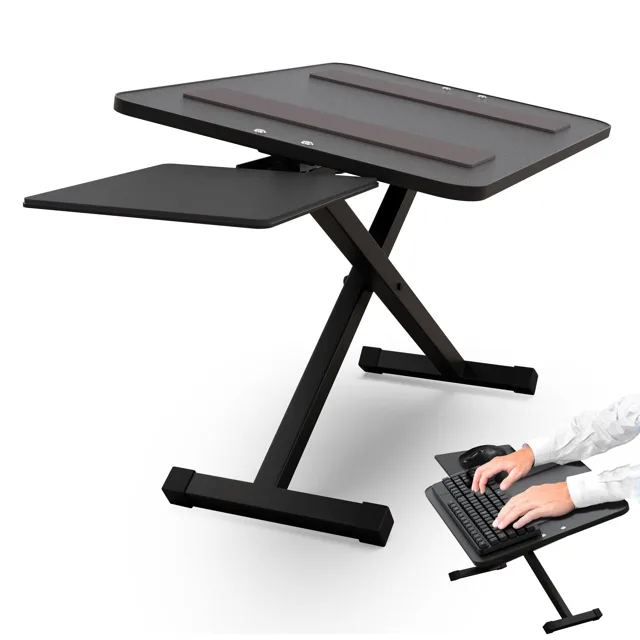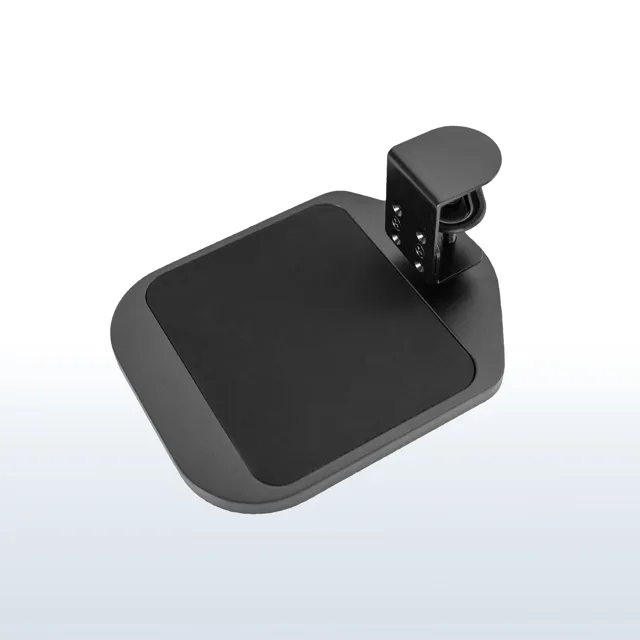
Made for your everyday.
.kt4-pdp,
.kt4-pdp * {
box-sizing: border-box;
}
.kt4-pdp {
--ue-green: #00A934;
--ue-text: #1f1f1f;
--ue-muted: #666;
--ue-border: #e7e7e7;
--ue-soft: #f7f7f7;
color: var(--ue-text);
font-family: inherit;
}
.kt4-pdp img,
.kt4-pdp iframe {
display: block;
max-width: 100%;
}
.kt4-pdp img {
height: auto;
}
.kt4-wrap {
width: min(1200px, calc(100% - 40px));
margin: 0 auto;
}
.kt4-section {
padding: 48px 0;
}
.kt4-section + .kt4-section {
border-top: 1px solid var(--ue-border);
}
.kt4-section--soft {
background: var(--ue-soft);
}
.kt4-eyebrow {
margin: 0 0 10px;
color: var(--ue-green);
font-size: 13px;
font-weight: 700;
letter-spacing: .08em;
text-transform: uppercase;
}
.kt4-pdp h2,
.kt4-pdp h3 {
margin: 0;
color: var(--ue-text);
font-family: inherit;
text-transform: none;
}
.kt4-pdp h2 {
font-size: clamp(28px, 3vw, 36px);
line-height: 1.15;
font-weight: 700;
letter-spacing: -.02em;
}
.kt4-pdp h3 {
font-size: 20px;
line-height: 1.3;
font-weight: 700;
}
.kt4-pdp p,
.kt4-pdp li,
.kt4-pdp td,
.kt4-pdp th,
.kt4-pdp summary {
font-size: 16px;
line-height: 1.6;
}
.kt4-lead {
margin: 16px 0 0;
color: var(--ue-muted);
max-width: 700px;
}
.kt4-grid-2 {
display: grid;
grid-template-columns: minmax(0, 1.05fr) minmax(0, .95fr);
gap: 48px;
place-items: center stretch;
}
.kt4-hero-media,
.kt4-feature-media,
.kt4-spec-media {
overflow: hidden;
border-radius: 18px;
background: var(--ue-soft);
}
.kt4-hero-media img,
.kt4-feature-media img,
.kt4-spec-media img {
width: 100%;
}
.kt4-feature-grid {
display: grid;
grid-template-columns: repeat(4, minmax(0, 1fr));
gap: 16px;
margin-top: 30px;
}
.kt4-feature {
padding: 20px;
border: 1px solid var(--ue-border);
border-radius: 14px;
background: #fff;
}
.kt4-feature img {
width: 46px;
height: 46px;
object-fit: contain;
margin-bottom: 13px;
}
.kt4-feature h3 {
margin-bottom: 7px;
}
.kt4-feature p {
margin: 0;
color: var(--ue-muted);
line-height: 1.5;
}
.kt4-number {
display: block;
margin-bottom: 9px;
color: var(--ue-green);
font-size: 28px;
line-height: 1;
font-weight: 700;
}
.kt4-spec-layout {
display: grid;
grid-template-columns: minmax(260px, .8fr) minmax(0, 1.2fr);
gap: 40px;
place-items: center stretch;
}
.kt4-table-wrap {
overflow-x: auto;
margin-top: 24px;
border: 1px solid var(--ue-border);
border-radius: 14px;
background: #fff;
}
.kt4-table {
width: 100%;
min-width: 540px;
border-collapse: collapse;
}
.kt4-table th,
.kt4-table td {
padding: 13px 16px;
border-bottom: 1px solid var(--ue-border);
}
.kt4-table tr:last-child th,
.kt4-table tr:last-child td {
border-bottom: 0;
}
.kt4-table th {
width: 36%;
background: #fafafa;
font-weight: 700;
}
.kt4-callout {
margin-top: 24px;
padding: 18px 20px;
border-left: 4px solid var(--ue-green);
background: #f4fbf6;
}
.kt4-callout p {
margin: 0;
}
.kt4-feature-row {
display: grid;
grid-template-columns: minmax(0, 1fr) minmax(0, 1fr);
gap: 40px;
place-items: center stretch;
margin-top: 28px;
}
.kt4-feature-row ul {
margin: 16px 0 0;
padding-left: 20px;
}
.kt4-feature-row li + li {
margin-top: 8px;
}
.kt4-media-grid {
display: grid;
grid-template-columns: 1.25fr .75fr;
gap: 20px;
margin-top: 28px;
}
.kt4-video {
position: relative;
aspect-ratio: 16 / 9;
overflow: hidden;
border-radius: 16px;
background: #000;
}
.kt4-video iframe {
width: 100%;
height: 100%;
border: 0;
}
.kt4-gallery {
display: grid;
grid-template-columns: 1fr 1fr;
gap: 12px;
}
.kt4-gallery img {
width: 100%;
height: 100%;
min-height: 150px;
object-fit: cover;
border-radius: 12px;
background: var(--ue-soft);
}
.kt4-faq {
margin-top: 24px;
border-top: 1px solid var(--ue-border);
}
.kt4-faq details {
border-bottom: 1px solid var(--ue-border);
}
.kt4-faq summary {
position: relative;
padding: 18px 40px 18px 0;
cursor: pointer;
font-weight: 700;
list-style: none;
}
.kt4-faq summary::-webkit-details-marker {
display: none;
}
.kt4-faq summary::after {
content: "+";
position: absolute;
right: 4px;
top: 15px;
color: var(--ue-green);
font-size: 24px;
font-weight: 500;
}
.kt4-faq details[open] summary::after {
content: "−";
}
.kt4-faq details div {
padding: 0 0 18px;
color: var(--ue-muted);
}
.kt4-faq details p {
margin: 0;
}
@media (max-width: 1000px) {
.kt4-feature-grid {
grid-template-columns: 1fr 1fr;
}
}
@media (max-width: 900px) {
.kt4-section {
padding: 40px 0;
}
.kt4-grid-2,
.kt4-spec-layout,
.kt4-feature-row,
.kt4-media-grid {
grid-template-columns: 1fr;
gap: 28px;
}
.kt4-gallery img {
min-height: 180px;
}
}
@media (max-width: 600px) {
.kt4-wrap {
width: min(100% - 28px, 1200px);
}
.kt4-section {
padding: 32px 0;
}
.kt4-feature-grid,
.kt4-gallery {
grid-template-columns: 1fr;
}
.kt4-feature {
padding: 17px;
}
.kt4-gallery img {
min-height: 0;
aspect-ratio: 4 / 3;
}
.kt4-table th,
.kt4-table td {
padding: 12px 14px;
}
}
KT4 Clamp-On Keyboard Tray
Get the keyboard off your desktop without drilling into it
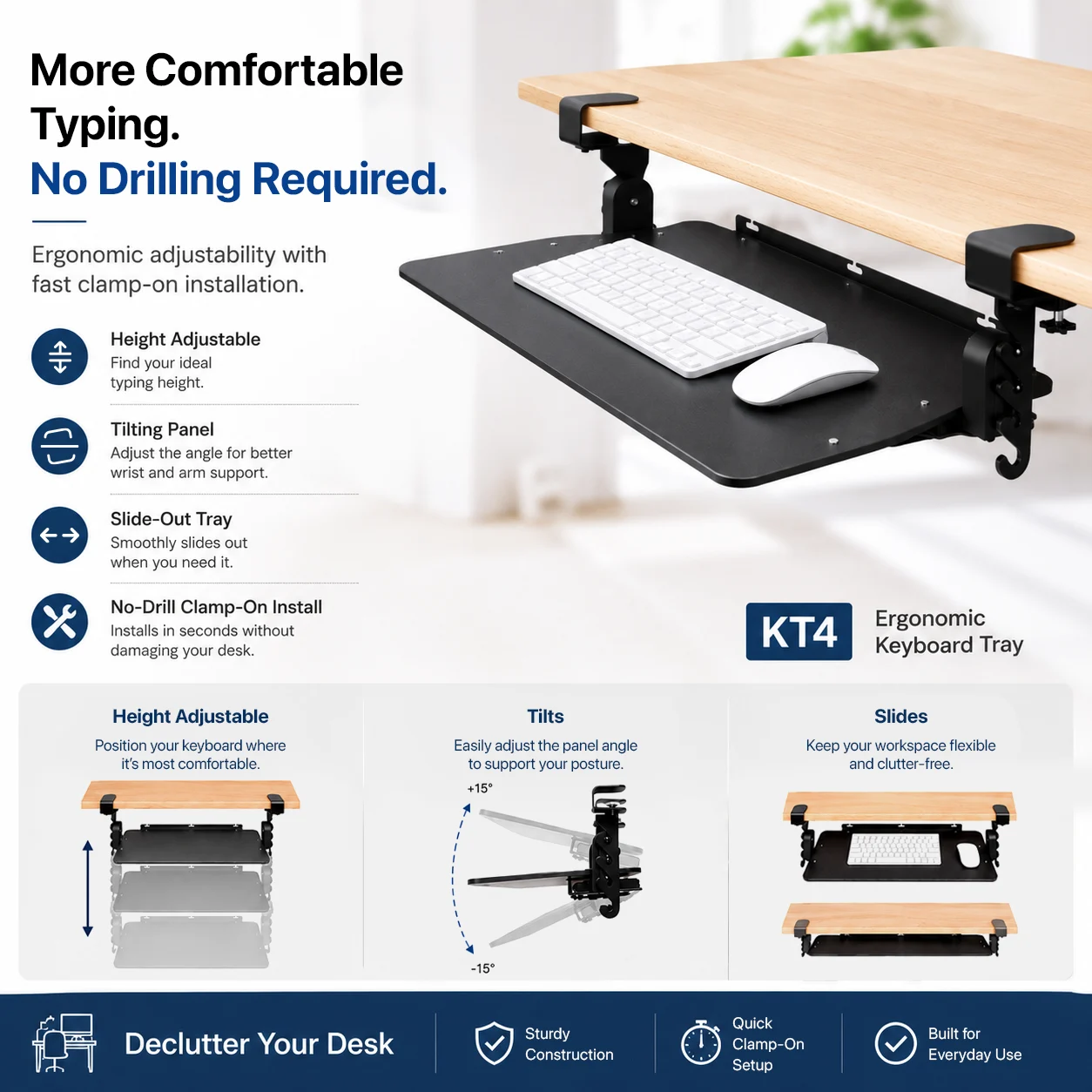
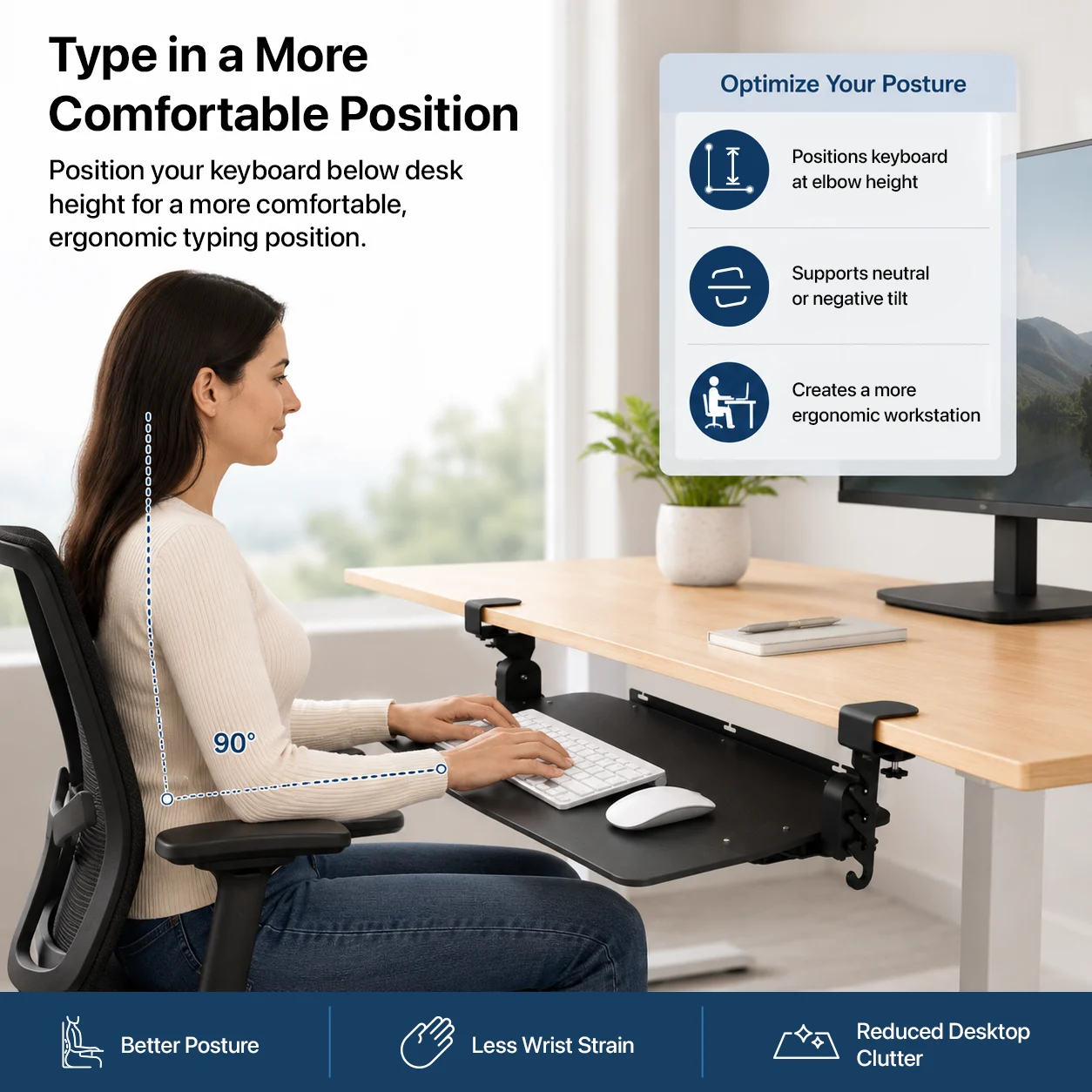
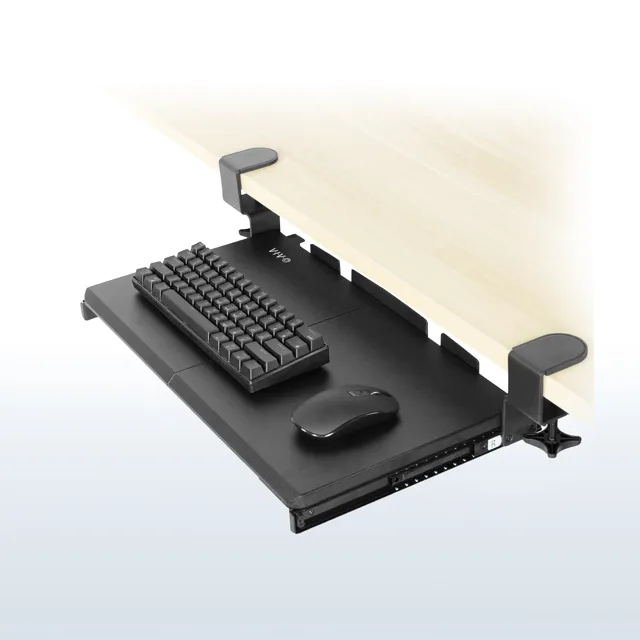
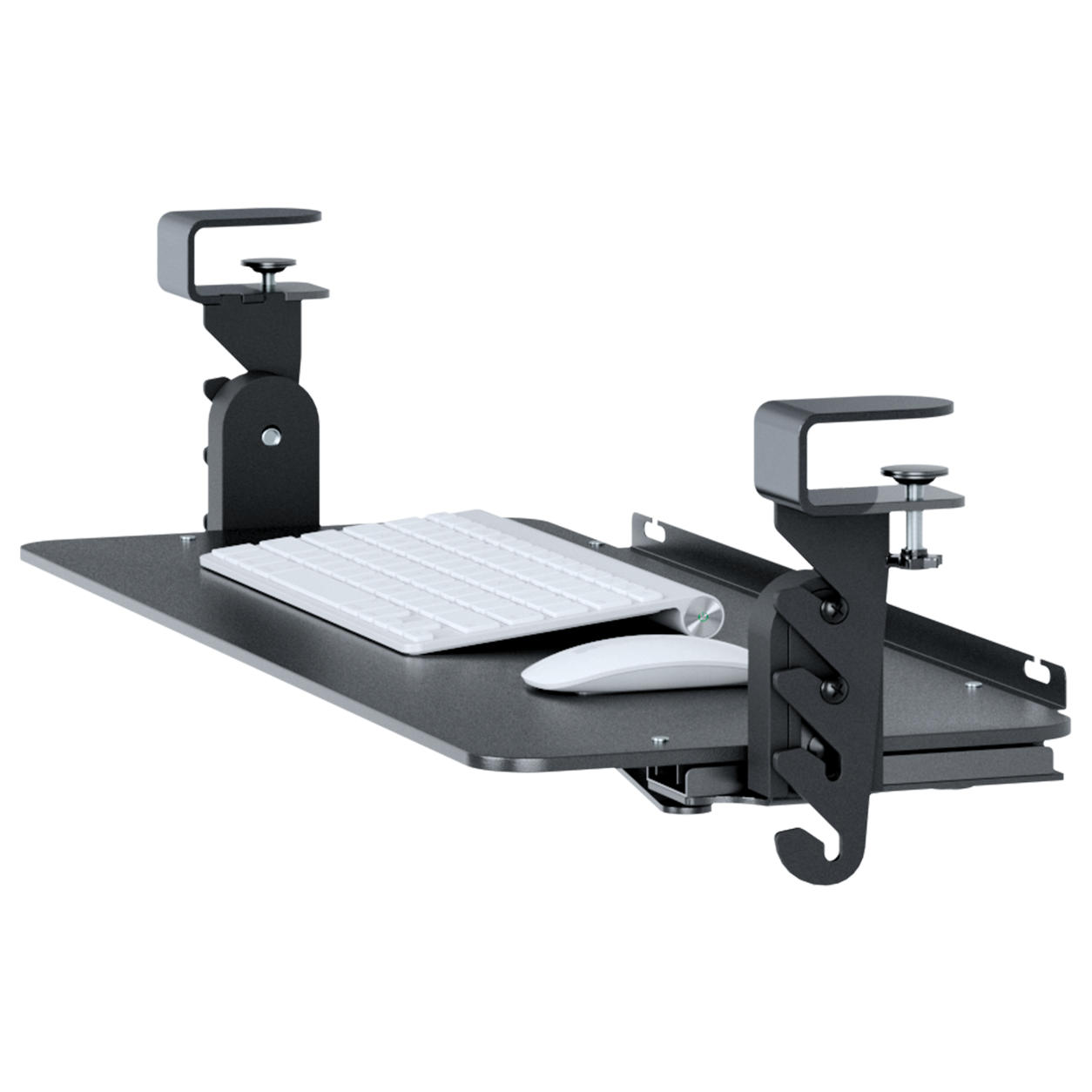
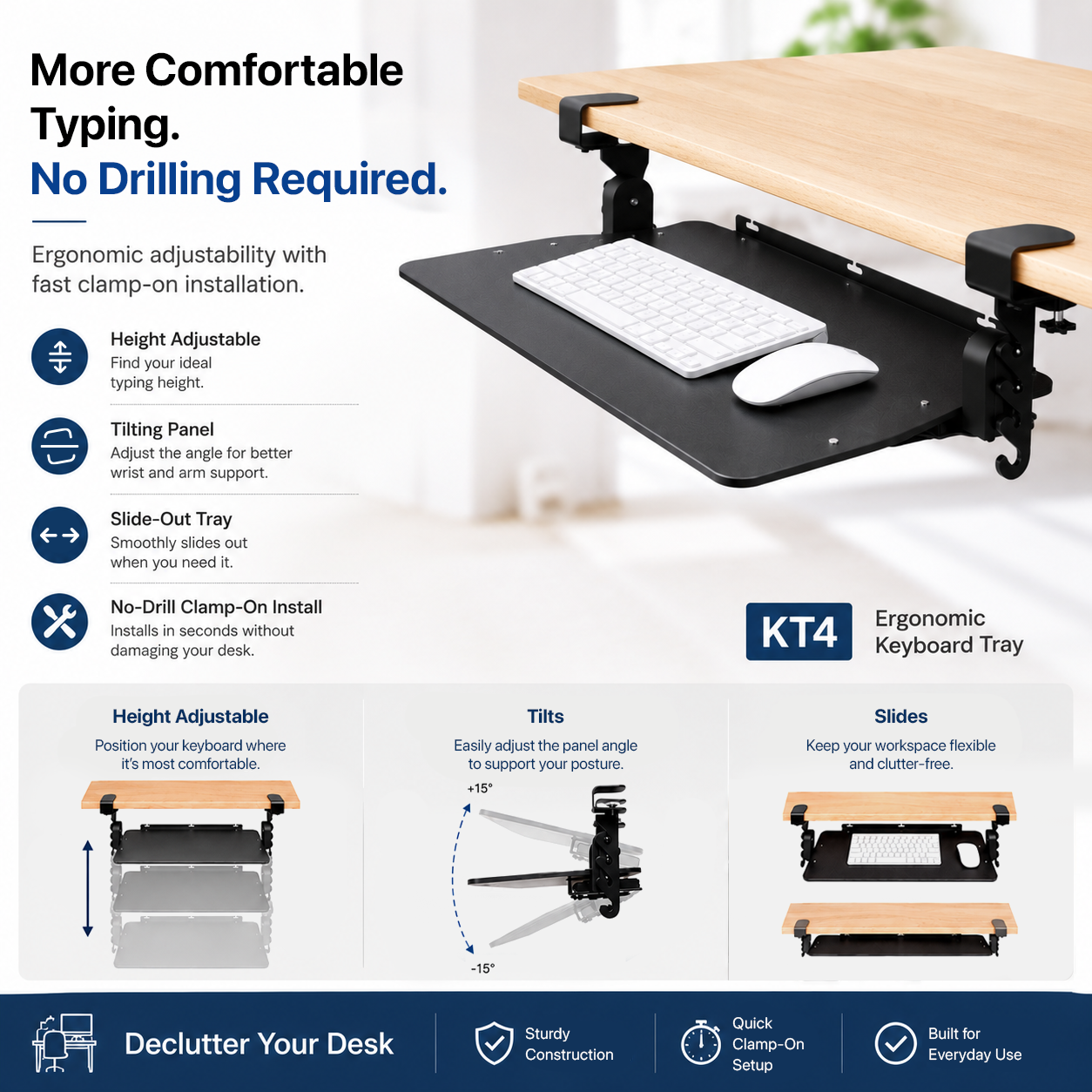
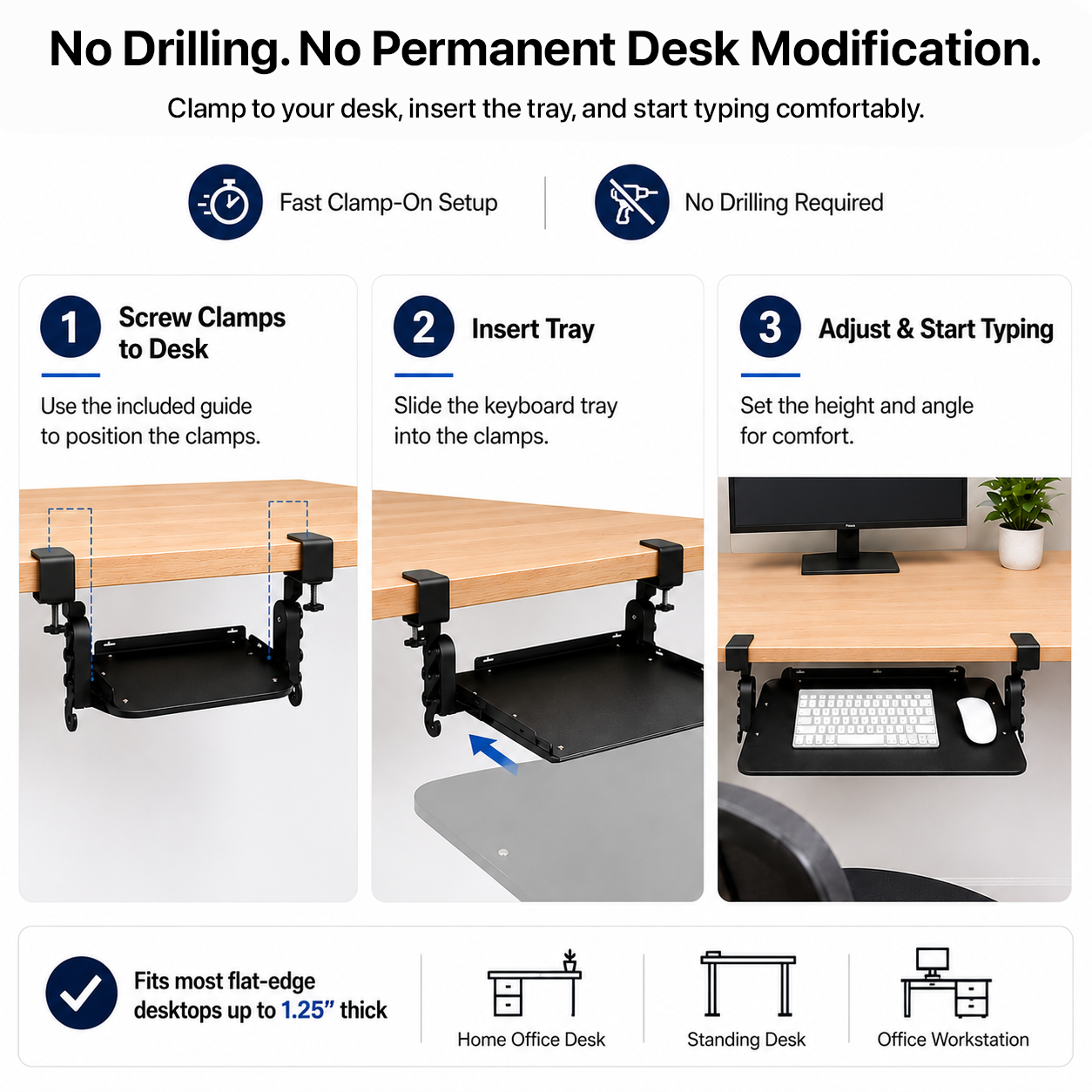
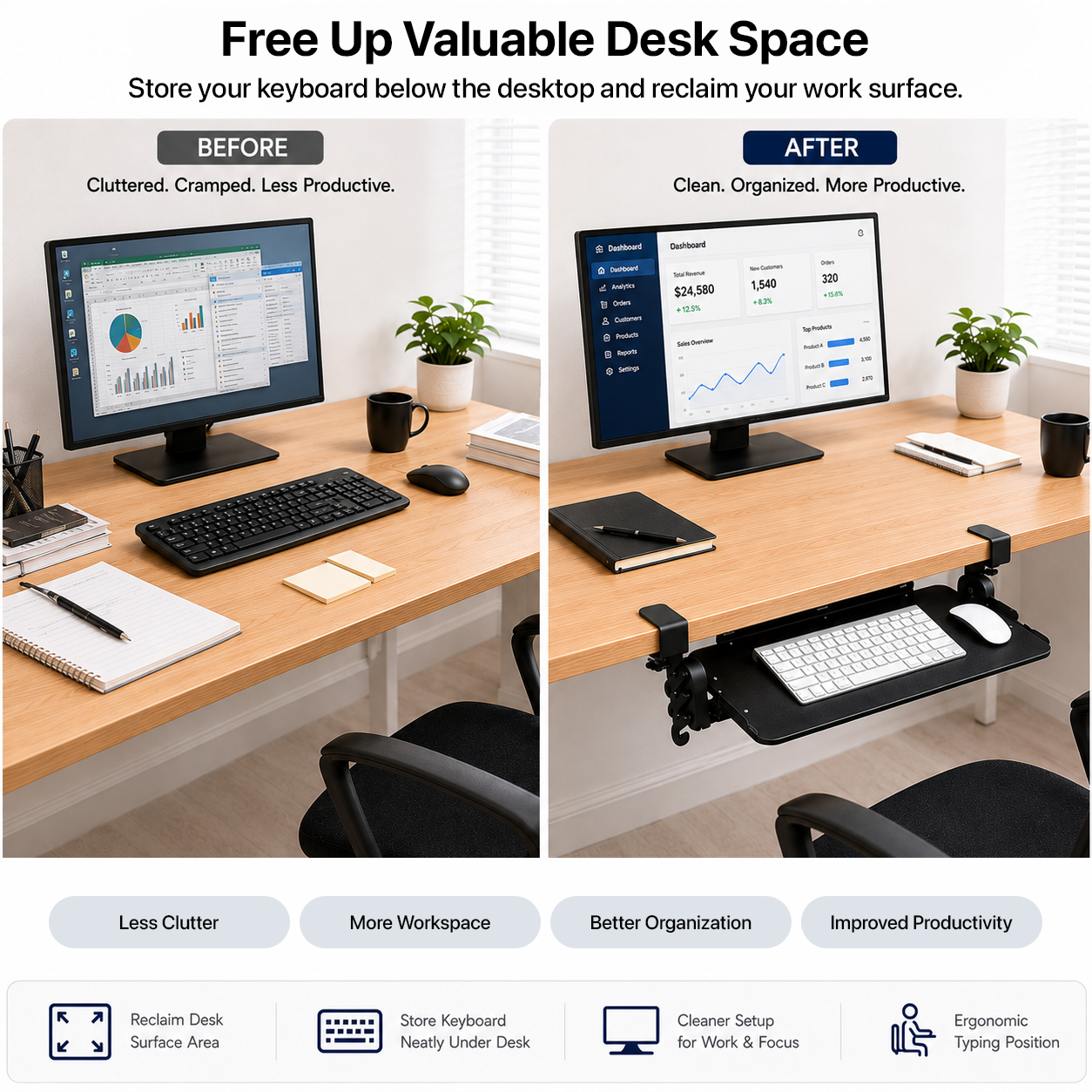
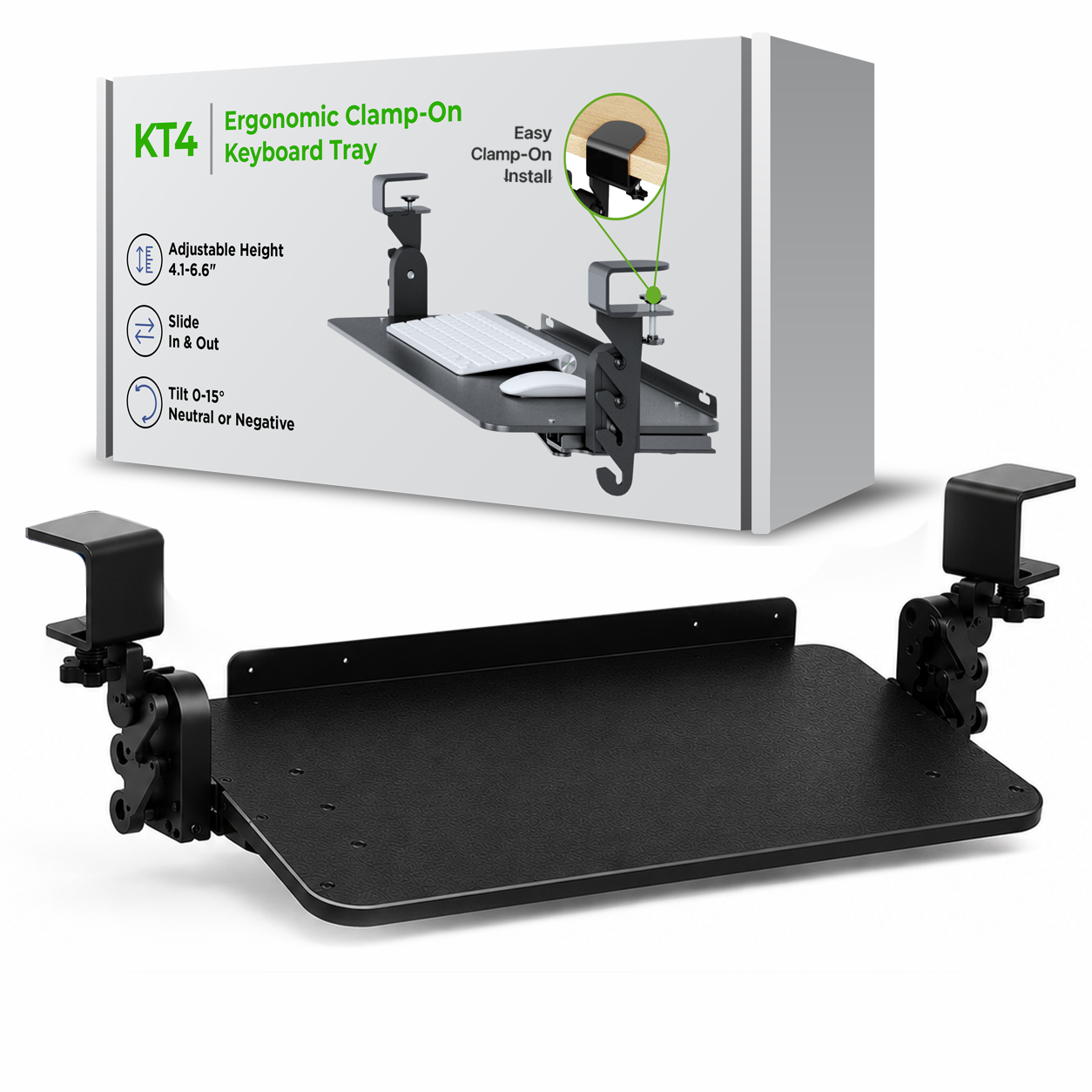
KT4 gives you the workspace and ergonomic benefits of an under-desk keyboard tray without making permanent holes in the desk. Clamp it to a compatible flat-edge desktop, lower the keyboard below the work surface, adjust the height and tilt, and reposition the tray later if your setup changes.
No-drill ergonomics
More than a simple clamp-on keyboard shelf
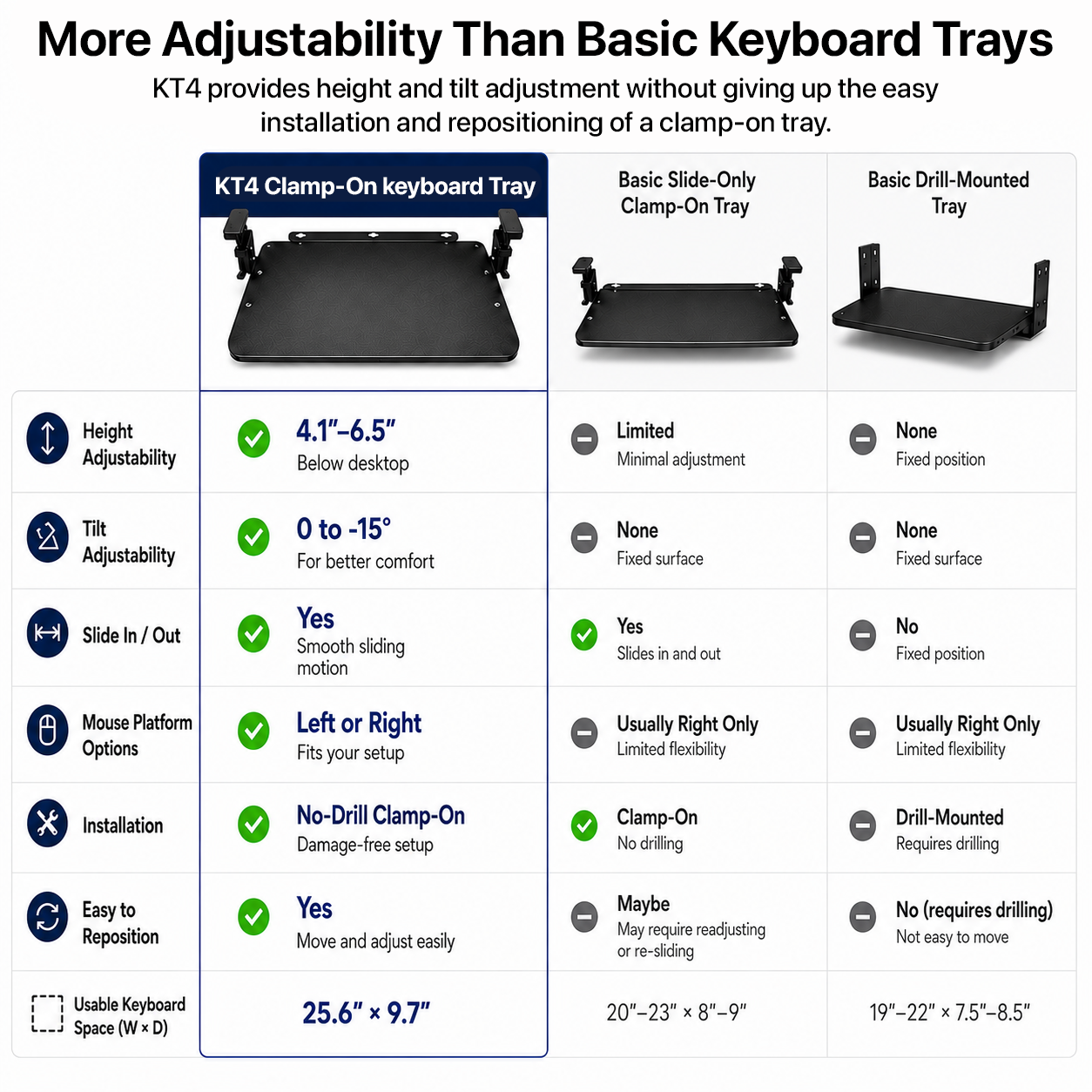
4.1-6.5 in
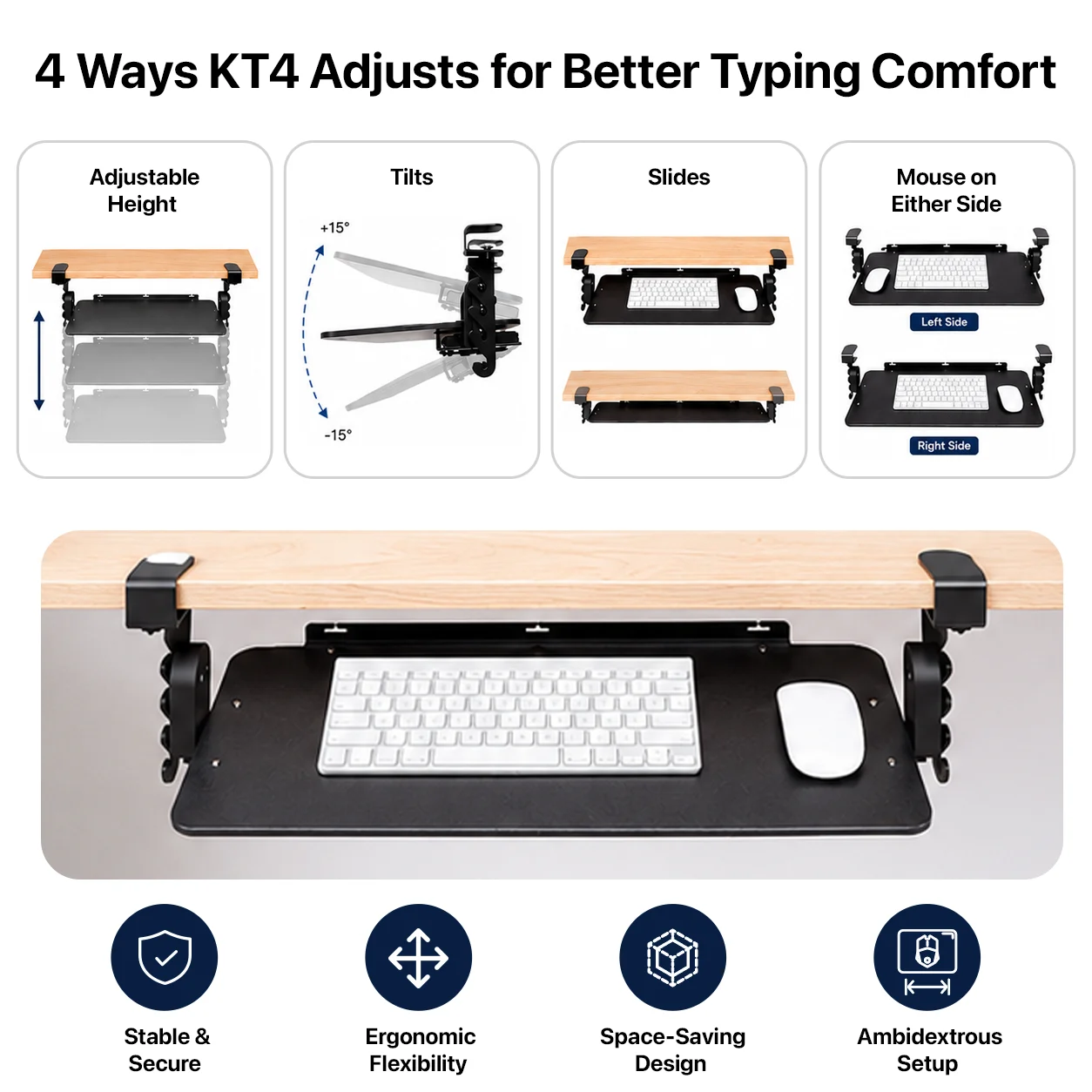
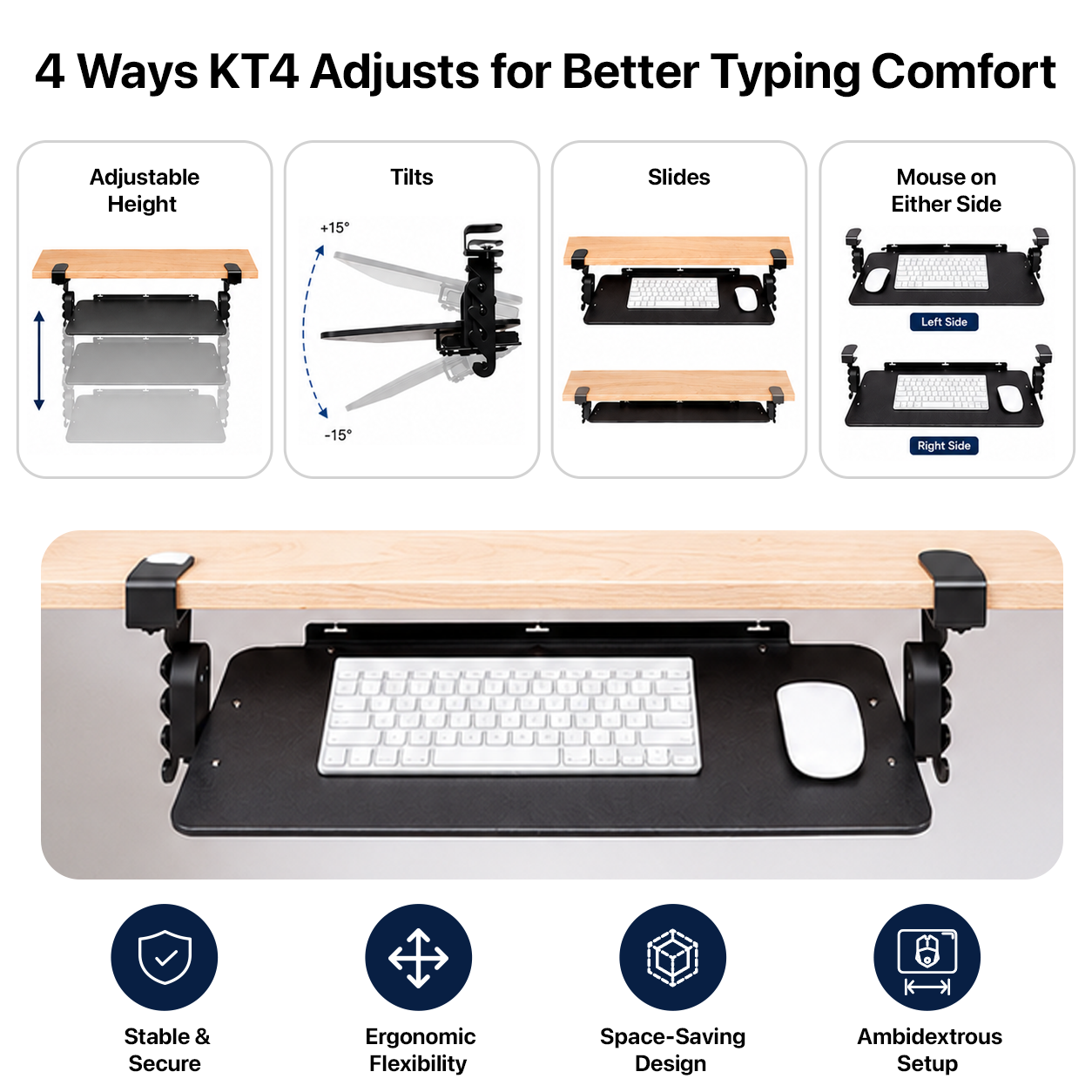
Lower the keyboard
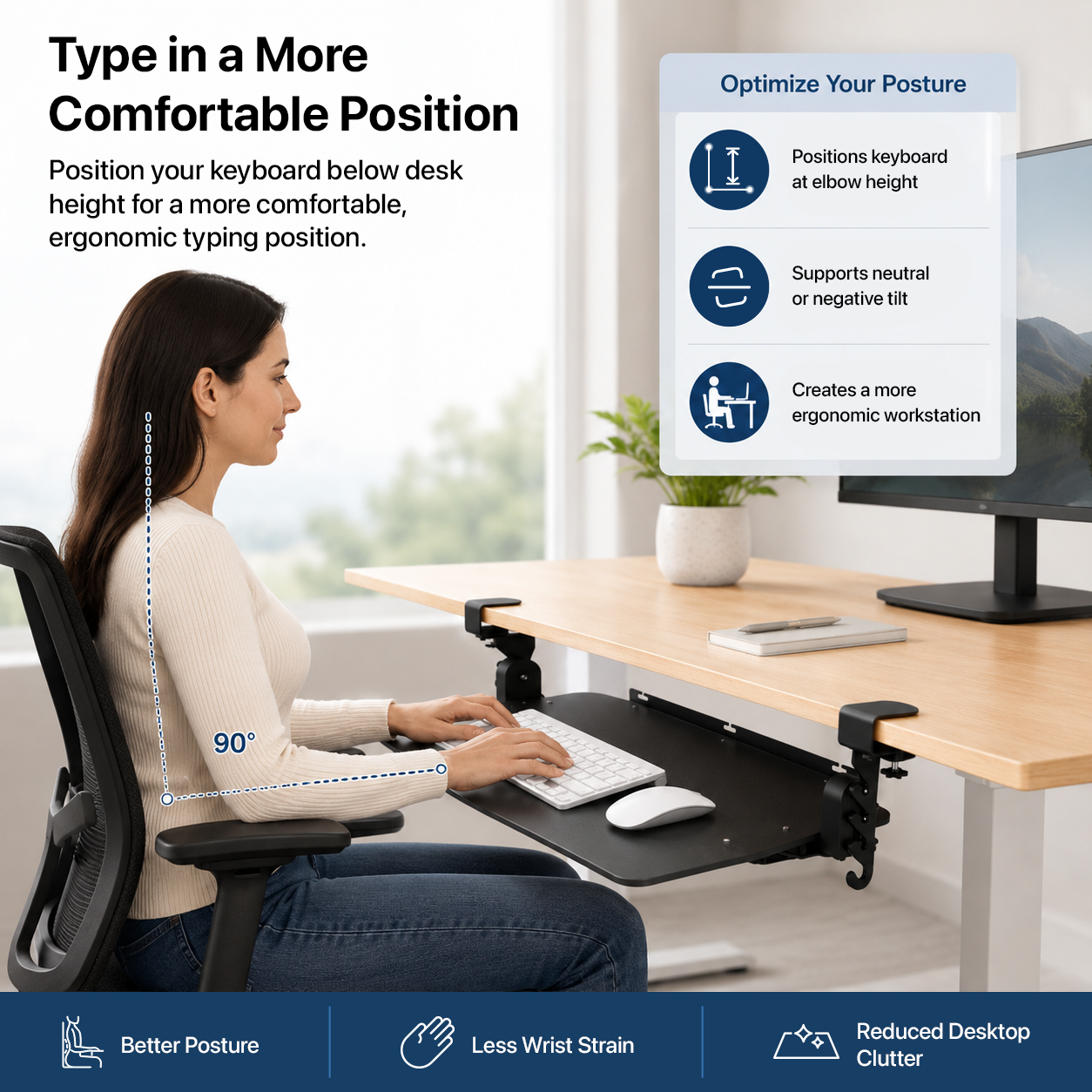
Choose the keyboard height below the desktop instead of accepting one fixed position.
Neutral or negative tilt
Adjust the tray angle to fine-tune how your hands and wrists meet the keyboard.
Slide it under the desk
Tuck the keyboard away when you want more open desktop space.
Clamp on. Move later.
No drilling means the tray can move when your desk, monitors, or workspace changes.
Fit + specifications
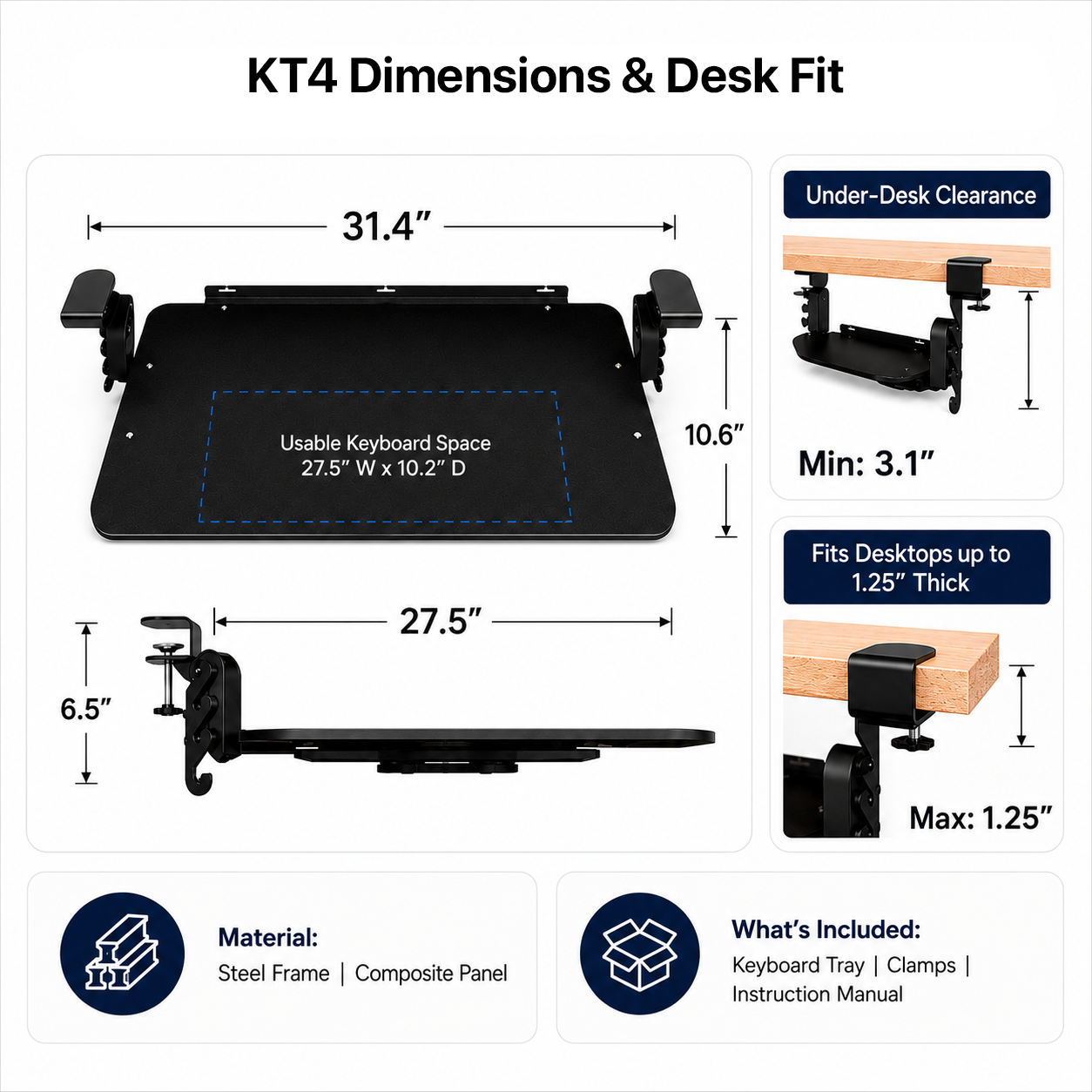
Check the desk edge before you order
Mount type
Clamp-on; no drilling required
Desktop fit
Flat-edge desktops up to 1.25 in thick
Keyboard height
Approx. 4.1-6.5 in below desktop height
Tray angle
Neutral or negative tilt
Usable surface
Approx. 27.5 × 10.2 in
Storage
Slides beneath the desktop when not in use
Installation
Tool-free clamp installation on a compatible desk edge
Before ordering: confirm desktop thickness, a flat clamping edge, and enough clear space beneath the desk for the tray and its travel.
Why clamp-on matters
Ergonomic adjustment without committing your desk to it
A practical option for desks you do not want to drill
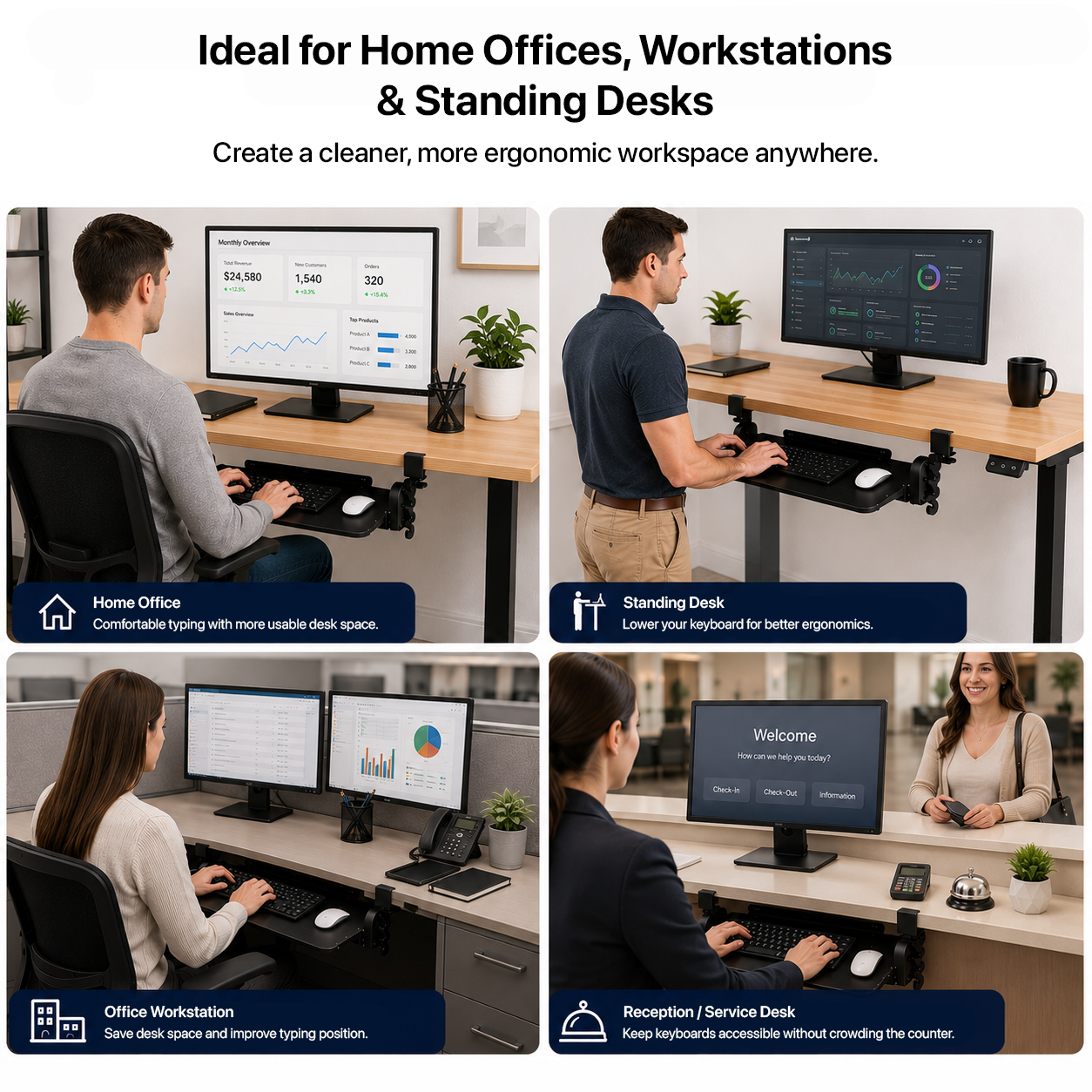
Permanent screw-mounted trays make sense when the workstation will never change. KT4 is built for the opposite situation: home offices, shared desks, temporary setups, and workstations that may need to be rearranged later.
No holes drilled into the desktop.
Installs without tools on a compatible desk edge.
Can be removed and repositioned as the workspace changes.
Moves the keyboard below the desktop while preserving valuable work surface above.
See KT4 in action
Clamp, adjust, type, and slide it away
Frequently asked questions
KT4 fit and adjustment questions
Will KT4 fit my desk?
KT4 is intended for compatible flat-edge desktops up to 1.25 in thick. Check the clamping edge and clear space beneath the desk before ordering.
Do I need to drill holes or use tools?
No. KT4 uses a clamp-on mounting system designed for tool-free installation on a compatible desktop.
How far below the desktop can I position the keyboard?
The keyboard surface adjusts approximately 4.1-6.5 in below desktop height.
Can I adjust the keyboard angle?
Yes. KT4 supports neutral or negative tilt so you can change the keyboard angle to suit your setup.
Can I move KT4 to another desk later?
Yes. Because KT4 clamps to the desk instead of using permanent screw mounting, it can be removed and repositioned on another compatible desktop.
How much usable space does the tray provide?
The usable tray area is approximately 27.5 × 10.2 in.
Product specifications
| box-sizing | border-box; |
|---|---|
| --ue-green | #00A934; |
| --ue-text | #1f1f1f; |
| --ue-muted | #666; |
| --ue-border | #e7e7e7; |
| --ue-soft | #f7f7f7; |
| color | var(--ue-muted); |
| font-family | inherit; |
| display | none; |
| max-width | 700px; |
| height | 100%; |
| width | min(100% - 28px, 1200px); |
| margin | 0; |
| padding | 12px 14px; |
| border-top | 1px solid var(--ue-border); |
| background | var(--ue-soft); |
| font-size | 24px; |
| font-weight | 500; |
| letter-spacing | -.02em; |
| text-transform | none; |
| line-height | 1; |
| grid-template-columns | 1fr; |
| gap | 28px; |
| place-items | center stretch; |
| overflow | hidden; |
| border-radius | 12px; |
| margin-top | 24px; |
| border | 0; |
| object-fit | cover; |
| margin-bottom | 9px; |
| overflow-x | auto; |
| min-width | 540px; |
| border-collapse | collapse; |
| border-bottom | 1px solid var(--ue-border); |
| .kt4-table tr | last-child td { |
| border-left | 4px solid var(--ue-green); |
| padding-left | 20px; |
| position | absolute; |
| aspect-ratio | 4 / 3; |
| min-height | 0; |
| cursor | pointer; |
| list-style | none; |
| .kt4-faq summary | :after { |
| content | "−"; |
| right | 4px; |
| top | 15px; |
| .kt4-faq details[open] summary | :after { |
| @media (max-width | 600px) { |
| Before ordering | confirm desktop thickness, a flat clamping edge, and enough clear space beneath the desk for the tray and its travel. |
| Mount type | Clamp-on; no drilling required |
| Desktop fit | Flat-edge desktops up to 1.25 in thick |
| Keyboard height | Approx. 4.1-6.5 in below desktop height |
| Tray angle | Neutral or negative tilt |
| Usable surface | Approx. 27.5 × 10.2 in |
| Storage | Slides beneath the desktop when not in use |
| Installation | Tool-free clamp installation on a compatible desk edge |
| Brand | Uncaged Ergonomics |
| Colors | Black |
| Sizes | height: 100%;, width: min(100% - 28px, 1200px); |