Made for your everyday.
.kt3-pdp,
.kt3-pdp * {
box-sizing: border-box;
}
.kt3-pdp {
--ue-green: #00A934;
--ue-text: #1f1f1f;
--ue-muted: #666;
--ue-border: #e7e7e7;
--ue-soft: #f7f7f7;
color: var(--ue-text);
font-family: inherit;
}
.kt3-pdp img,
.kt3-pdp iframe {
display: block;
max-width: 100%;
}
.kt3-pdp img {
height: auto;
}
.kt3-wrap {
width: min(1200px, calc(100% - 40px));
margin: 0 auto;
}
.kt3-section {
padding: 48px 0;
}
.kt3-section + .kt3-section {
border-top: 1px solid var(--ue-border);
}
.kt3-section--soft {
background: var(--ue-soft);
}
.kt3-eyebrow {
margin: 0 0 10px;
color: var(--ue-green);
font-size: 13px;
font-weight: 700;
letter-spacing: .08em;
text-transform: uppercase;
}
.kt3-pdp h2,
.kt3-pdp h3 {
margin: 0;
color: var(--ue-text);
font-family: inherit;
text-transform: none;
}
.kt3-pdp h2 {
font-size: clamp(28px, 3vw, 36px);
line-height: 1.15;
font-weight: 700;
letter-spacing: -.02em;
}
.kt3-pdp h3 {
font-size: 20px;
line-height: 1.3;
font-weight: 700;
}
.kt3-pdp p,
.kt3-pdp li,
.kt3-pdp td,
.kt3-pdp th,
.kt3-pdp summary {
font-size: 16px;
line-height: 1.6;
}
.kt3-lead {
margin: 16px 0 0;
color: var(--ue-muted);
max-width: 700px;
}
.kt3-grid-2 {
display: grid;
grid-template-columns: minmax(0, 1.05fr) minmax(0, .95fr);
gap: 48px;
place-items: center stretch;
}
.kt3-hero-media,
.kt3-feature-media {
overflow: hidden;
border-radius: 18px;
background: var(--ue-soft);
}
.kt3-hero-media img,
.kt3-feature-media img {
width: 100%;
}
.kt3-feature-grid {
display: grid;
grid-template-columns: repeat(5, minmax(0, 1fr));
gap: 14px;
margin-top: 30px;
}
.kt3-feature {
padding: 18px;
border: 1px solid var(--ue-border);
border-radius: 14px;
background: #fff;
}
.kt3-feature img {
width: 44px;
height: 44px;
object-fit: contain;
margin-bottom: 12px;
}
.kt3-feature h3 {
margin-bottom: 6px;
}
.kt3-feature p {
margin: 0;
color: var(--ue-muted);
line-height: 1.5;
}
.kt3-number {
display: block;
margin-bottom: 9px;
color: var(--ue-green);
font-size: 27px;
line-height: 1;
font-weight: 700;
}
.kt3-feature-row {
display: grid;
grid-template-columns: minmax(0, 1fr) minmax(0, 1fr);
gap: 40px;
place-items: center stretch;
}
.kt3-feature-row + .kt3-feature-row {
margin-top: 42px;
}
.kt3-feature-row ul {
margin: 16px 0 0;
padding-left: 20px;
}
.kt3-feature-row li + li {
margin-top: 8px;
}
.kt3-table-wrap {
overflow-x: auto;
margin-top: 24px;
border: 1px solid var(--ue-border);
border-radius: 14px;
background: #fff;
}
.kt3-table {
width: 100%;
min-width: 520px;
border-collapse: collapse;
}
.kt3-table th,
.kt3-table td {
padding: 13px 16px;
border-bottom: 1px solid var(--ue-border);
}
.kt3-table tr:last-child th,
.kt3-table tr:last-child td {
border-bottom: 0;
}
.kt3-table th {
width: 36%;
background: #fafafa;
font-weight: 700;
}
.kt3-callout {
margin-top: 24px;
padding: 18px 20px;
border-left: 4px solid var(--ue-green);
background: #f4fbf6;
}
.kt3-callout p {
margin: 0;
}
.kt3-media-grid {
display: grid;
grid-template-columns: 1.2fr .8fr;
gap: 20px;
margin-top: 28px;
}
.kt3-video {
position: relative;
aspect-ratio: 16 / 9;
overflow: hidden;
border-radius: 16px;
background: #000;
}
.kt3-video iframe {
width: 100%;
height: 100%;
border: 0;
}
.kt3-gallery {
display: grid;
grid-template-columns: 1fr 1fr;
gap: 12px;
}
.kt3-gallery img {
width: 100%;
height: 100%;
min-height: 160px;
object-fit: cover;
border-radius: 12px;
background: var(--ue-soft);
}
.kt3-faq {
margin-top: 24px;
border-top: 1px solid var(--ue-border);
}
.kt3-faq details {
border-bottom: 1px solid var(--ue-border);
}
.kt3-faq summary {
position: relative;
padding: 18px 40px 18px 0;
cursor: pointer;
font-weight: 700;
list-style: none;
}
.kt3-faq summary::-webkit-details-marker {
display: none;
}
.kt3-faq summary::after {
content: "+";
position: absolute;
right: 4px;
top: 15px;
color: var(--ue-green);
font-size: 24px;
font-weight: 500;
}
.kt3-faq details[open] summary::after {
content: "−";
}
.kt3-faq details div {
padding: 0 0 18px;
color: var(--ue-muted);
}
.kt3-faq details p {
margin: 0;
}
@media (max-width: 1050px) {
.kt3-feature-grid {
grid-template-columns: repeat(3, minmax(0, 1fr));
}
}
@media (max-width: 900px) {
.kt3-section {
padding: 40px 0;
}
.kt3-grid-2,
.kt3-feature-row,
.kt3-media-grid {
grid-template-columns: 1fr;
gap: 28px;
}
.kt3-feature-grid {
grid-template-columns: 1fr 1fr;
}
.kt3-gallery img {
min-height: 180px;
}
}
@media (max-width: 600px) {
.kt3-wrap {
width: min(100% - 28px, 1200px);
}
.kt3-section {
padding: 32px 0;
}
.kt3-feature-grid,
.kt3-gallery {
grid-template-columns: 1fr;
}
.kt3-feature {
padding: 17px;
}
.kt3-gallery img {
min-height: 0;
aspect-ratio: 4 / 3;
}
.kt3-table th,
.kt3-table td {
padding: 12px 14px;
}
}
KT3 Adjustable Keyboard Stand
Turn a fixed-height counter into a better standing workstation
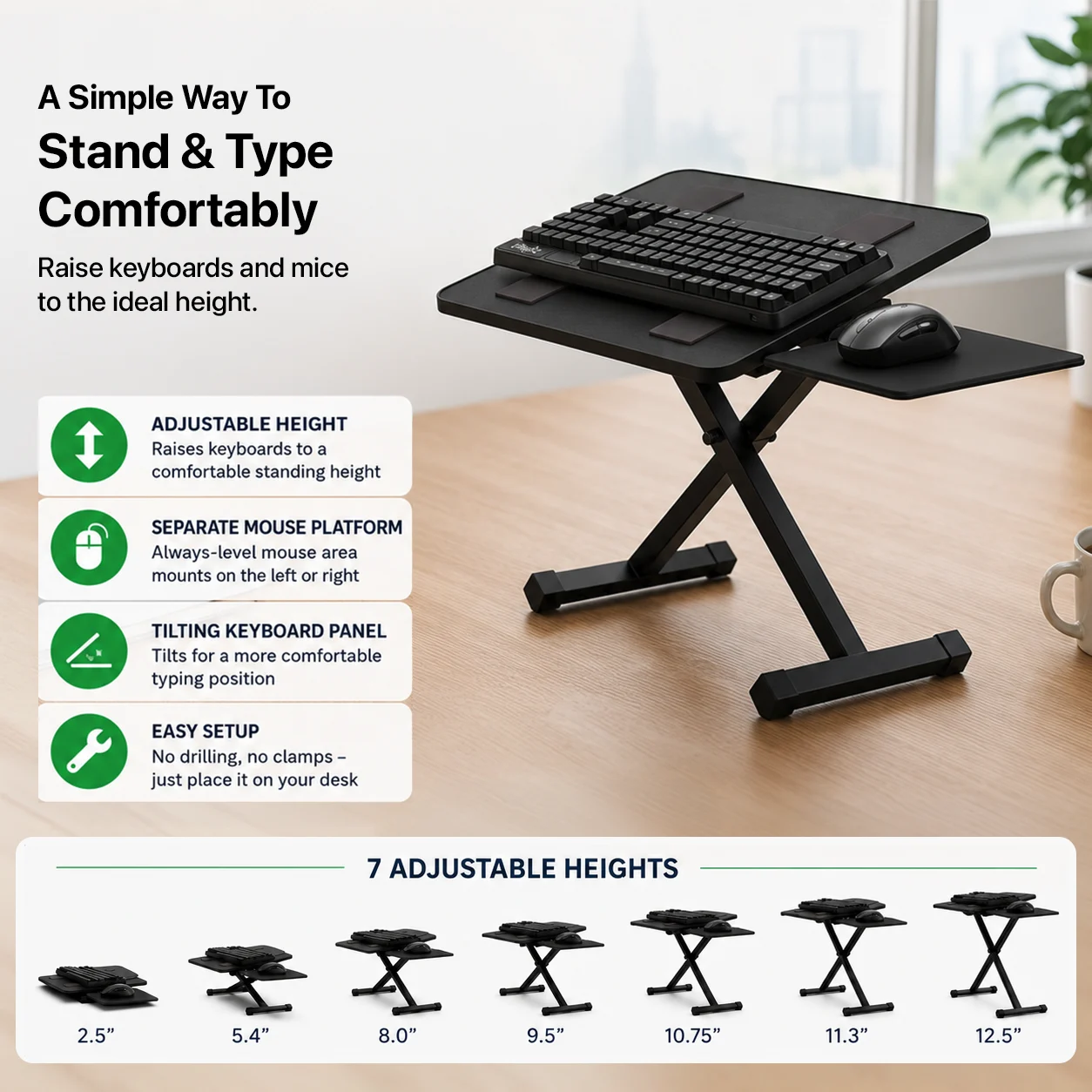
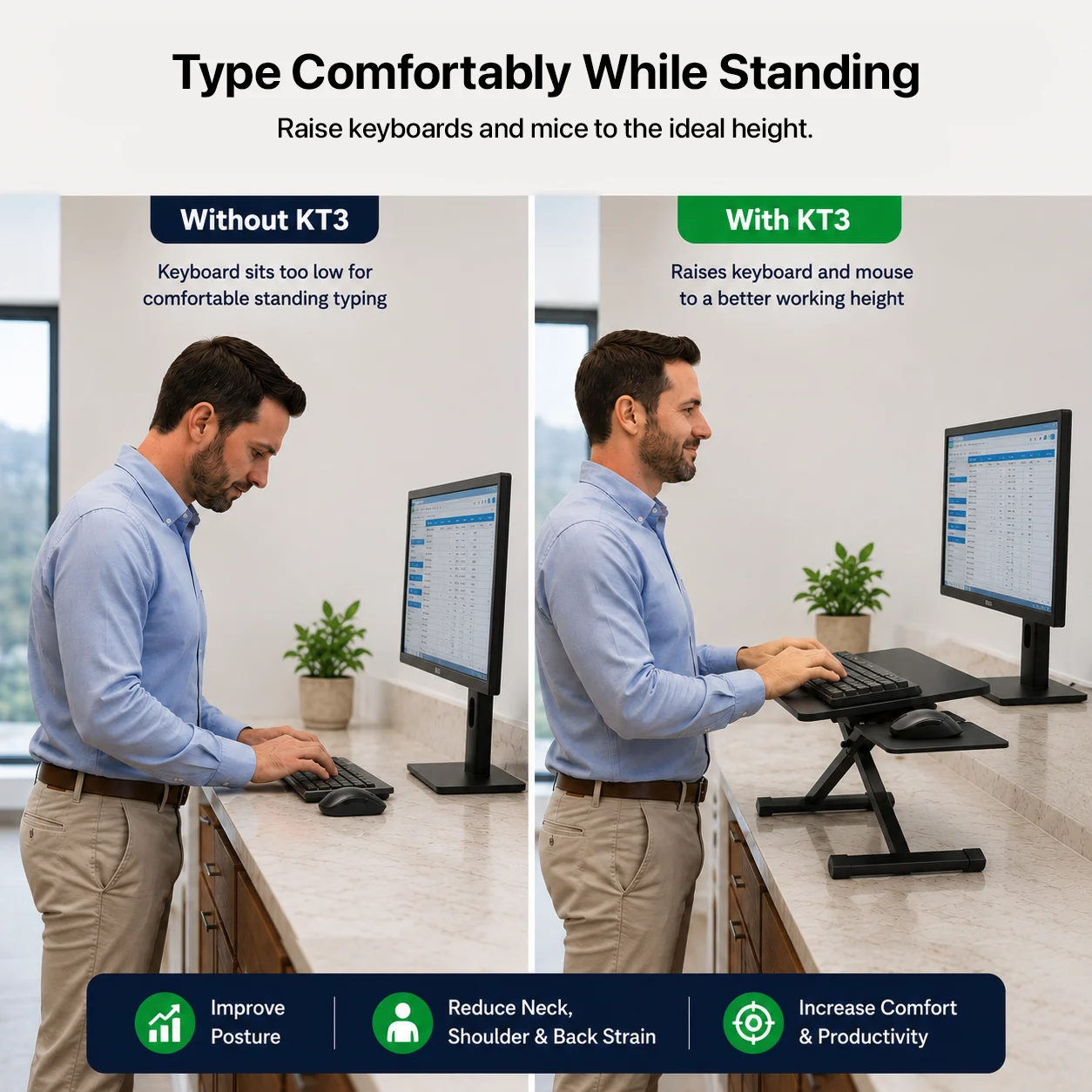
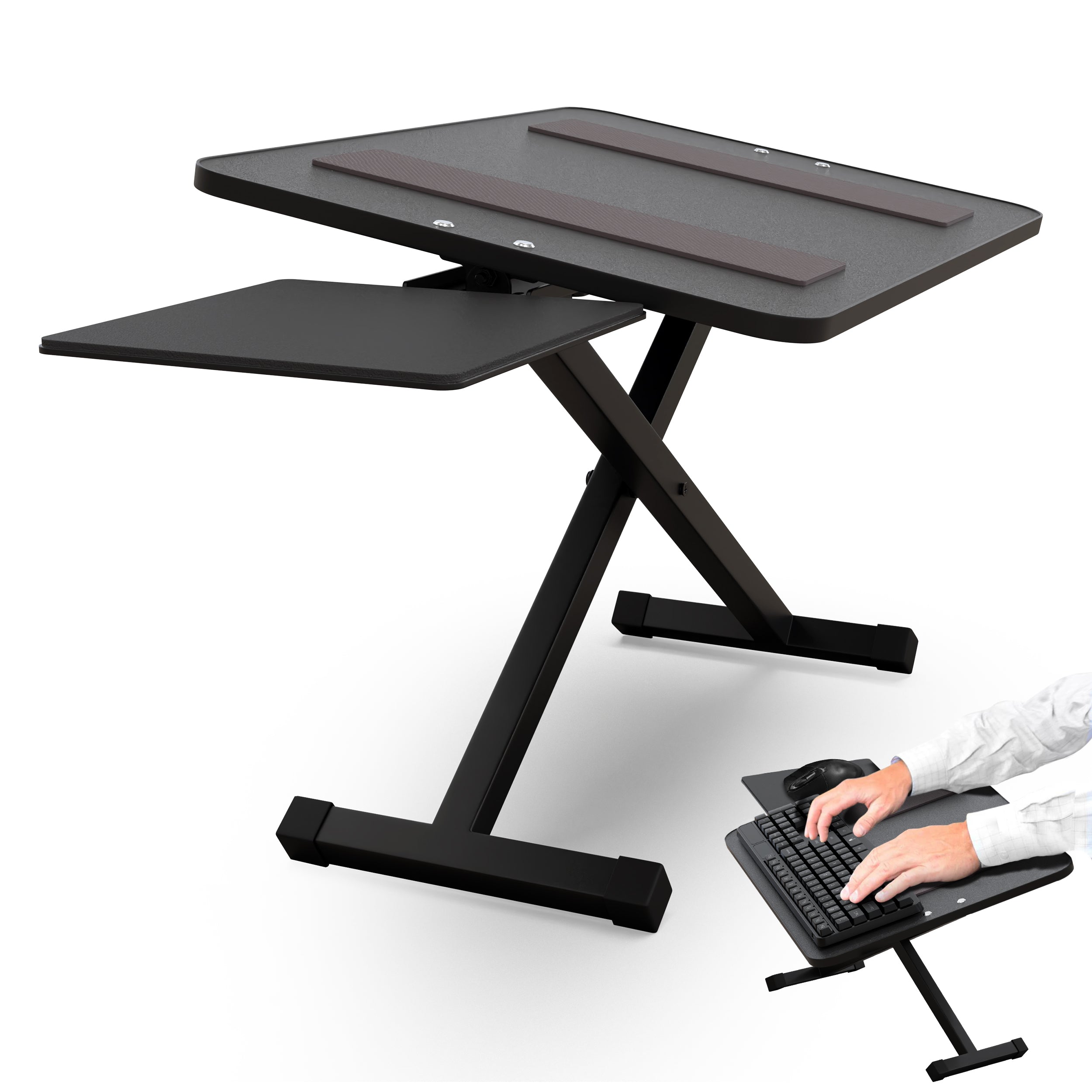
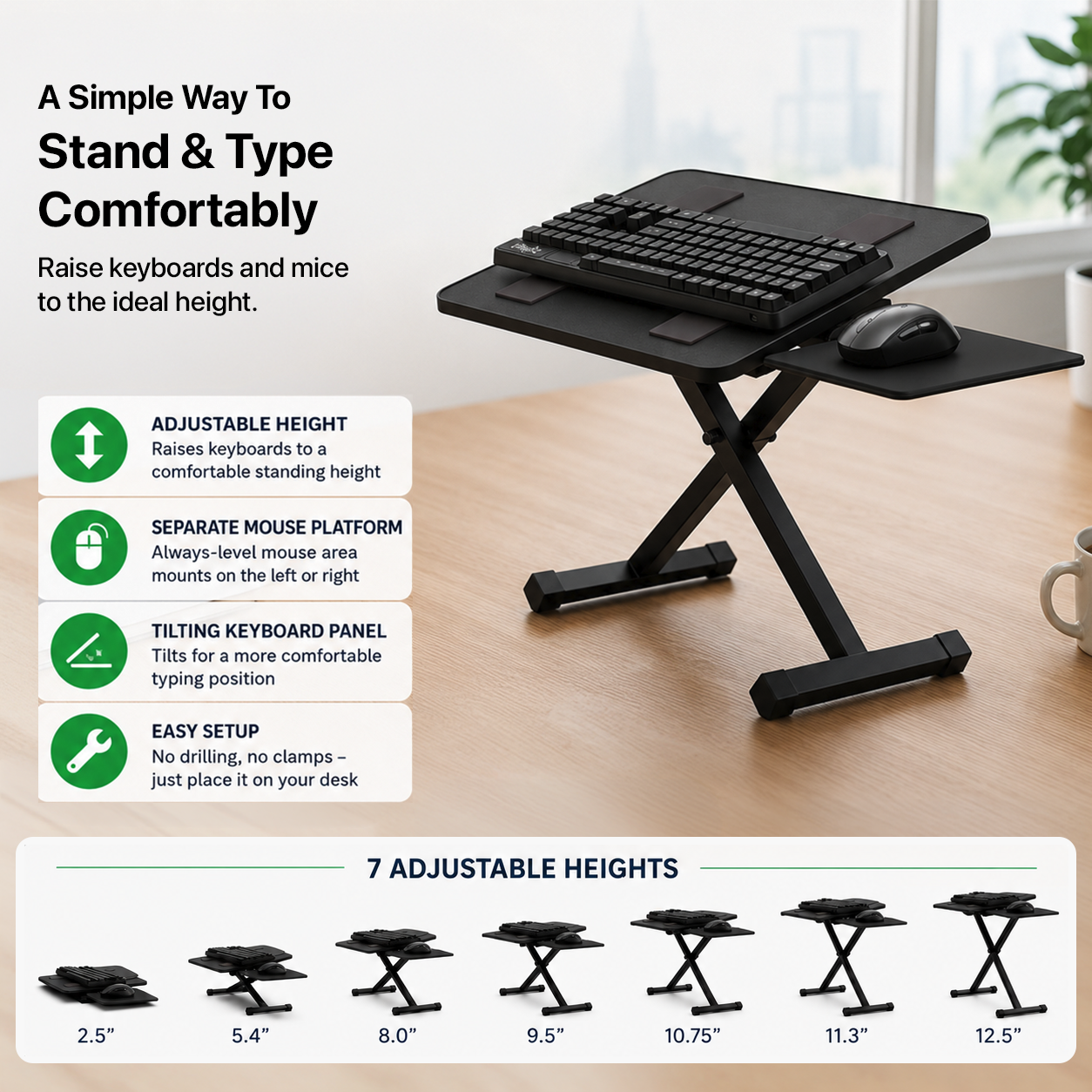
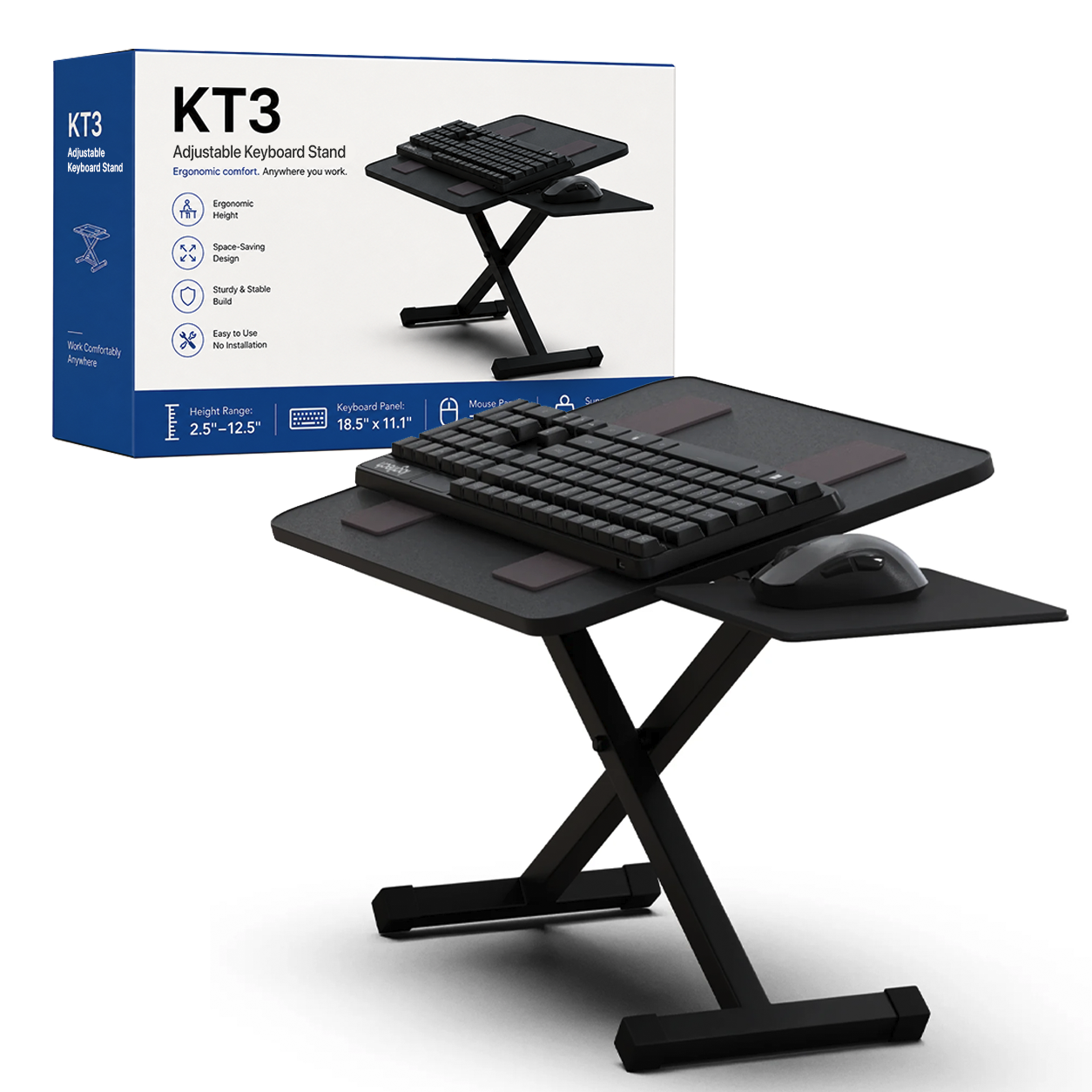
KT3 raises your keyboard and mouse without replacing the desk, drilling holes, or clamping anything to the work surface. Choose from seven fixed heights, tilt the keyboard panel to the angle you want, and keep the separate mouse platform level on either side.
Raise the keyboard, not the whole desk
Seven heights, continuous tilt, and a separate mouse surface
7 heights
2.5 to 12.5 in
Choose from seven fixed settings to raise the keyboard above a counter or desk.
24.5°
Continuous panel tilt
Fine-tune the keyboard angle instead of settling for one flat position.
Level
Separate mouse platform
The mouse surface stays level even when the keyboard panel is tilted.
Right or left
Use either side
Set the mouse platform for your preferred hand or workspace layout.
No install
Place it and work
No assembly, drilling, clamps, or permanent desk modification.
Built for standing keyboard work
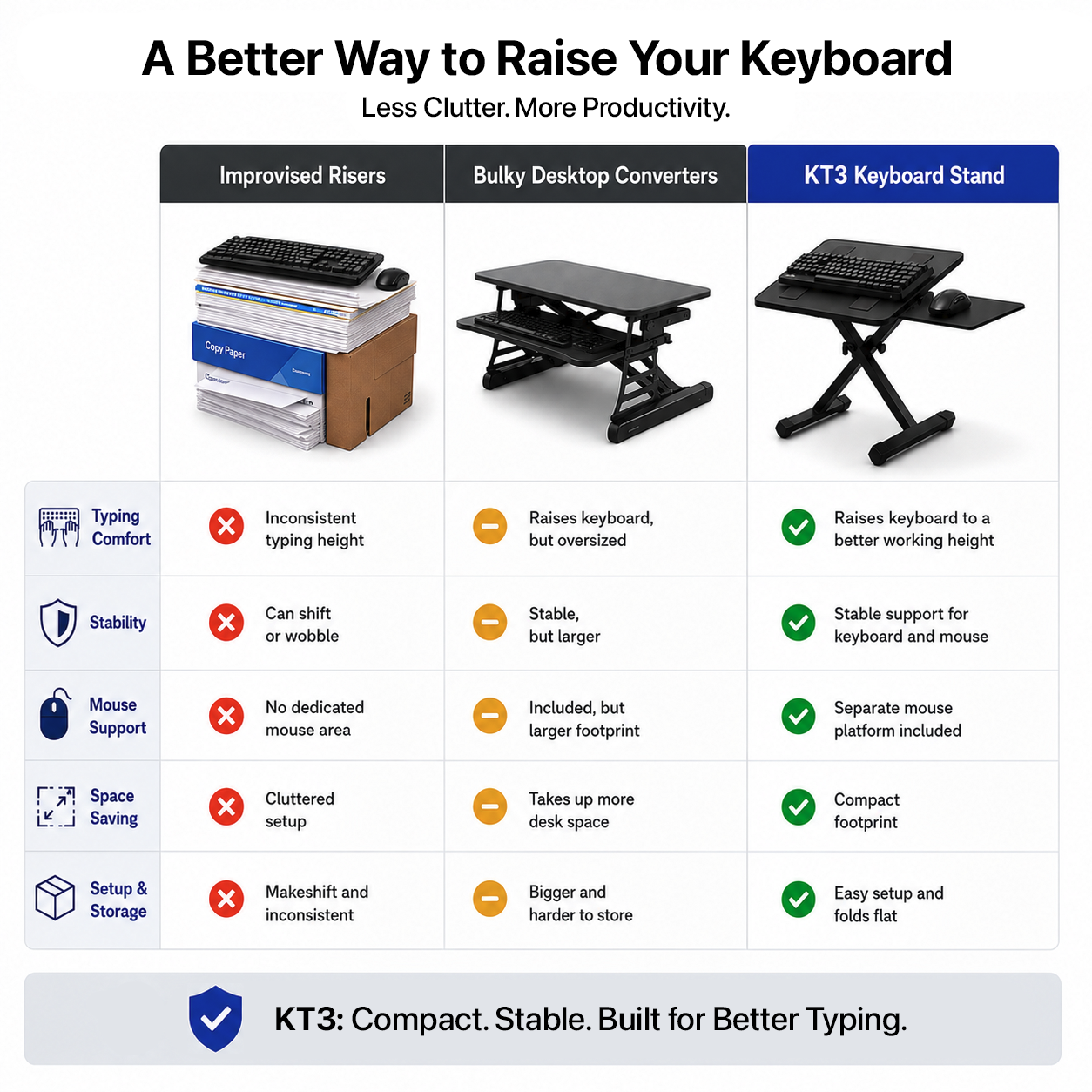
Get the keyboard higher without improvising with boxes and risers
Seven repeatable height settings
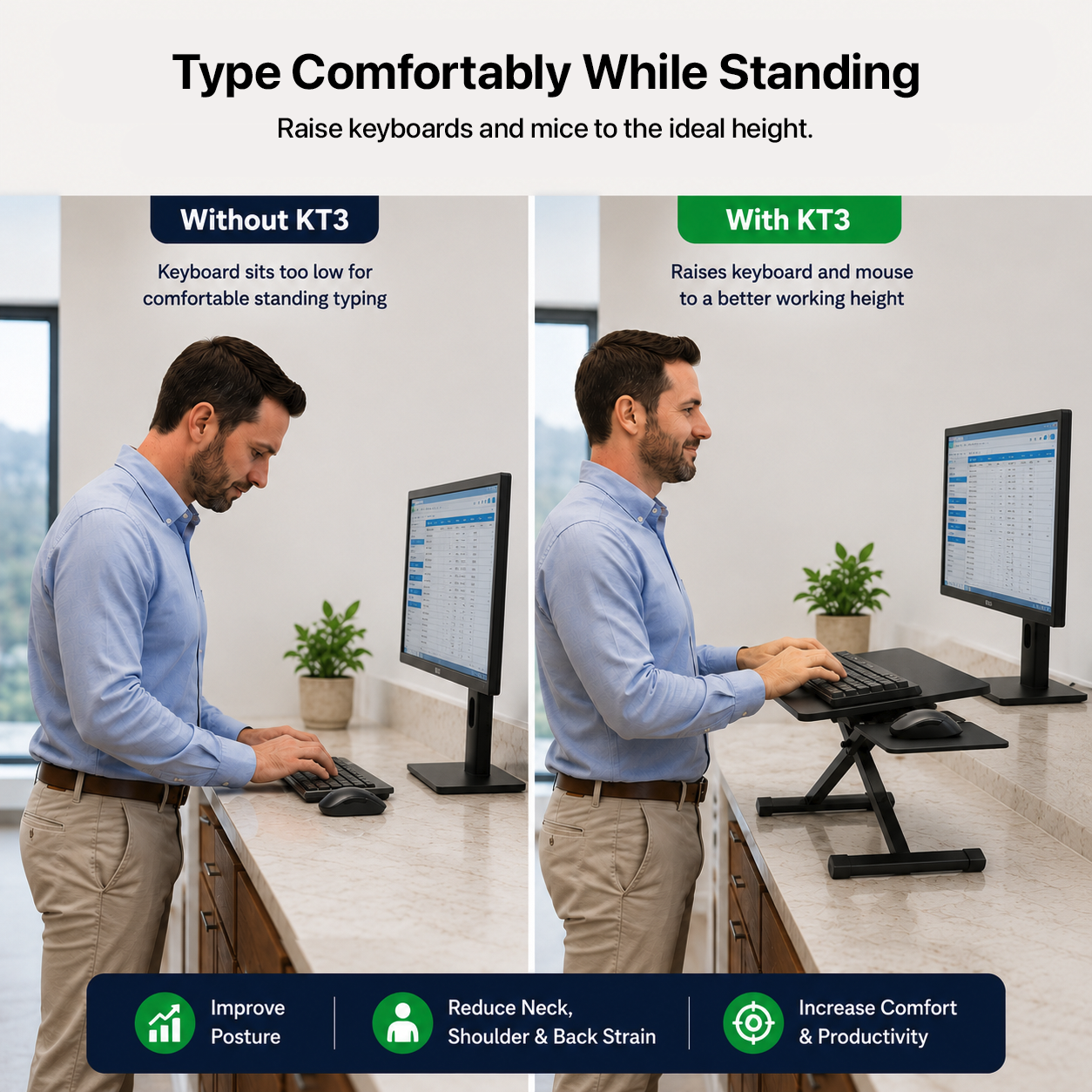
Fixed-height counters and workstations often put the keyboard too low for comfortable standing use. KT3 gives you seven repeatable positions from 2.5 to 12.5 in, so you can raise the keyboard without changing the furniture underneath it.
Lowest setting: 2.5 in.
Highest setting: 12.5 in.
Seven total height positions.
Freestanding design moves easily between work surfaces.
Tilt the keyboard without tilting the mouse
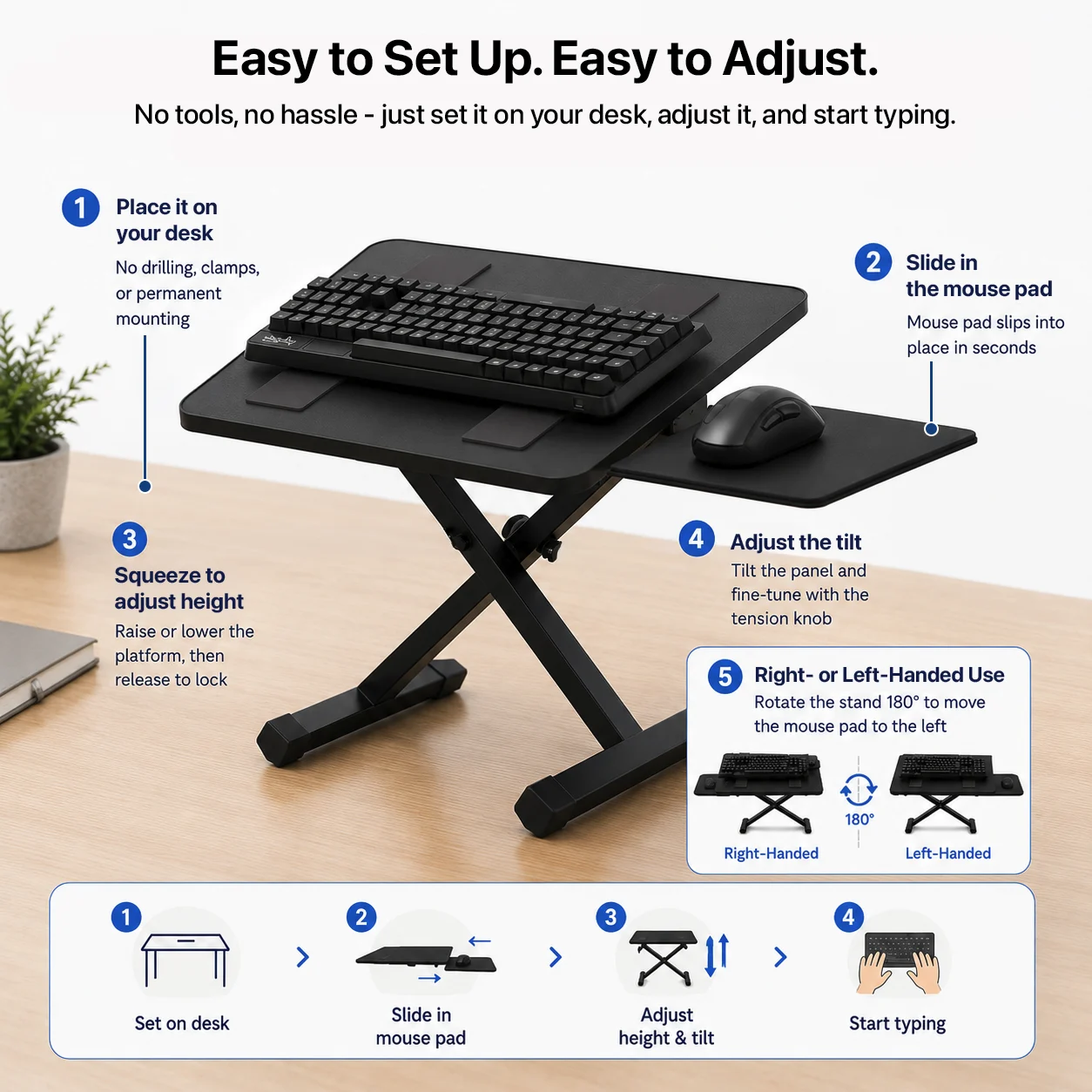
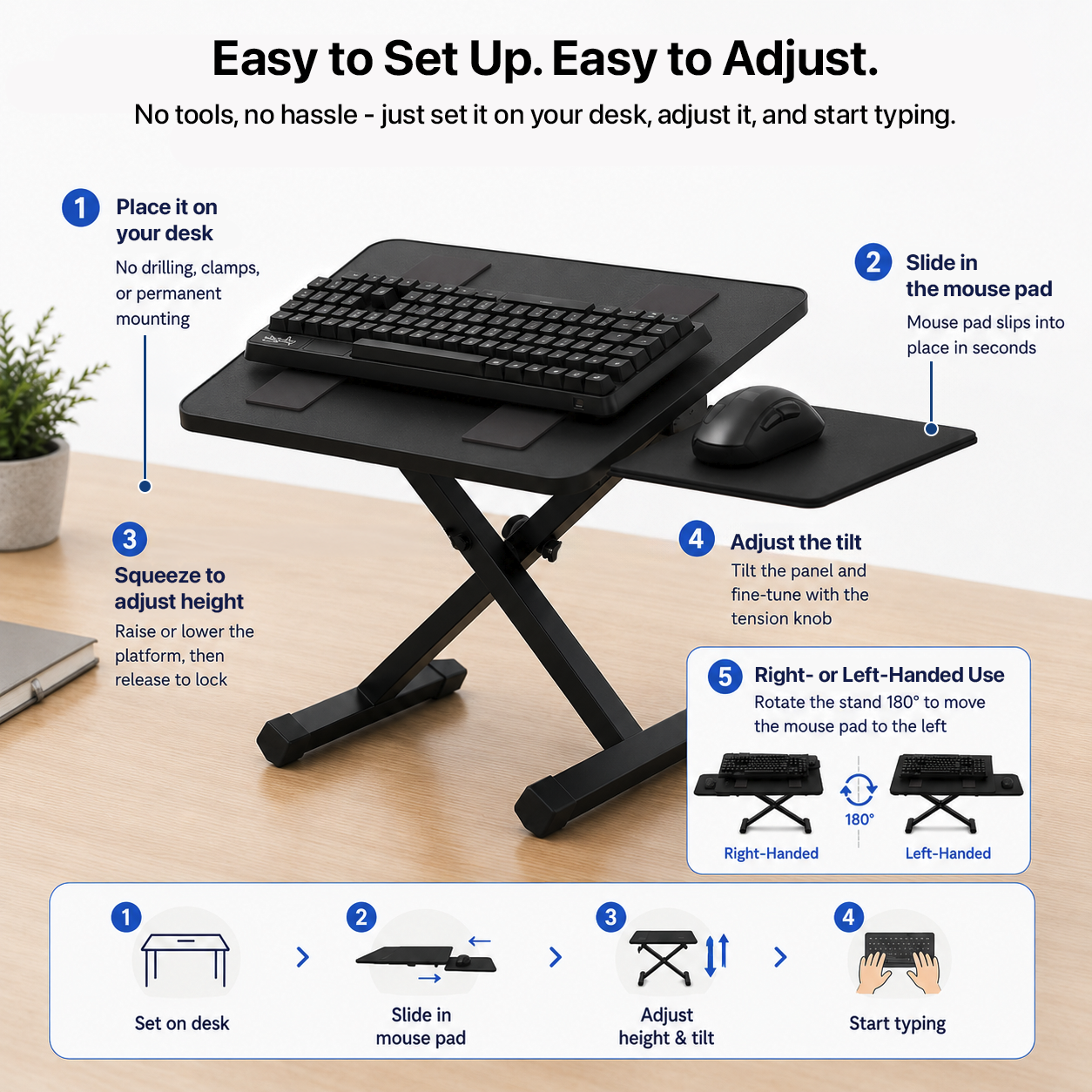
The keyboard panel offers continuous adjustment up to 24.5°, while the separate mouse platform stays level. That gives you more control over the keyboard angle without forcing your mouse onto the same slope.
Continuous keyboard-panel tilt up to 24.5°.
Separate always-level mouse platform.
Mouse platform can be used on the right or left.
Nothing permanent
Use it where you need it, then move it out of the way
No drilling, clamps, or desk modification
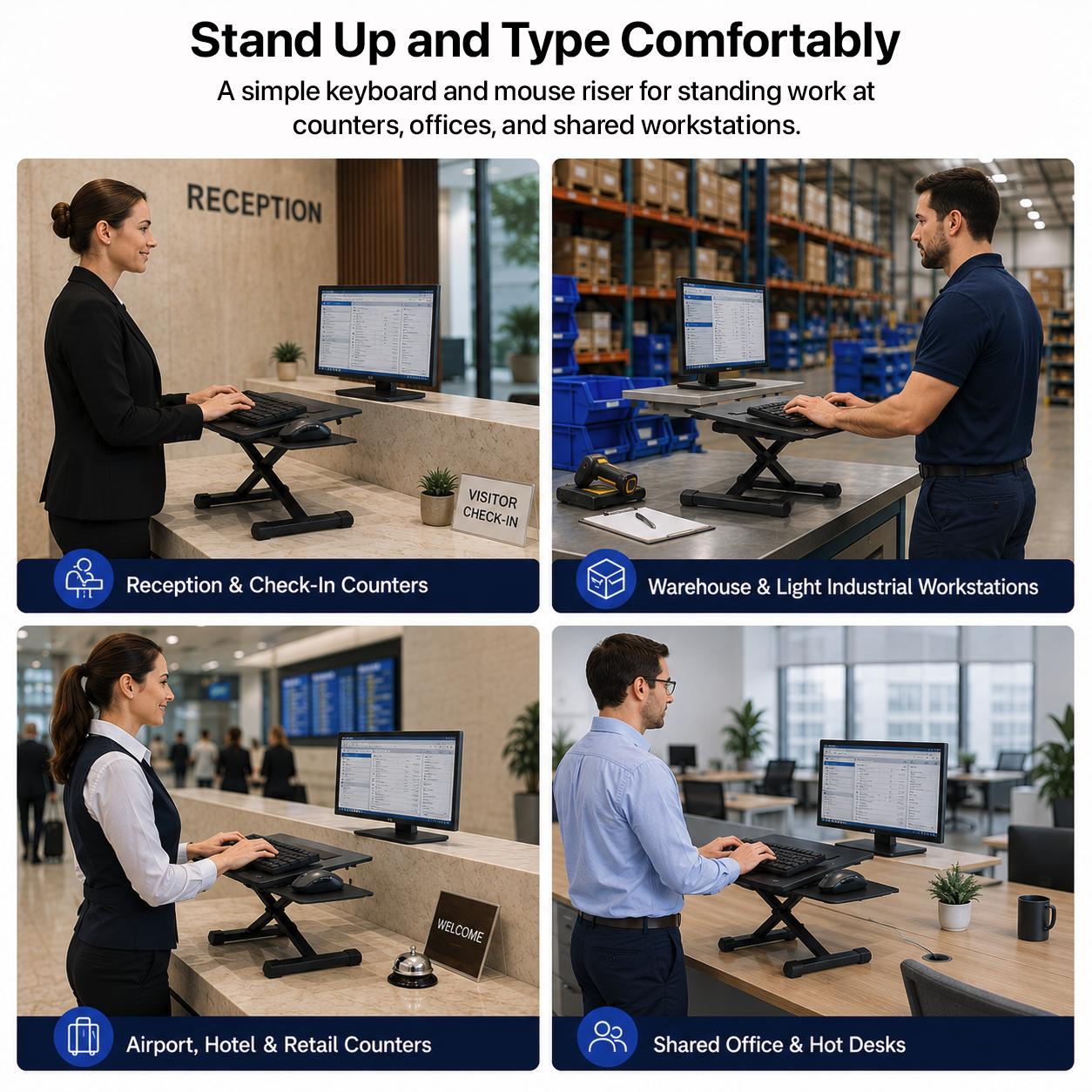
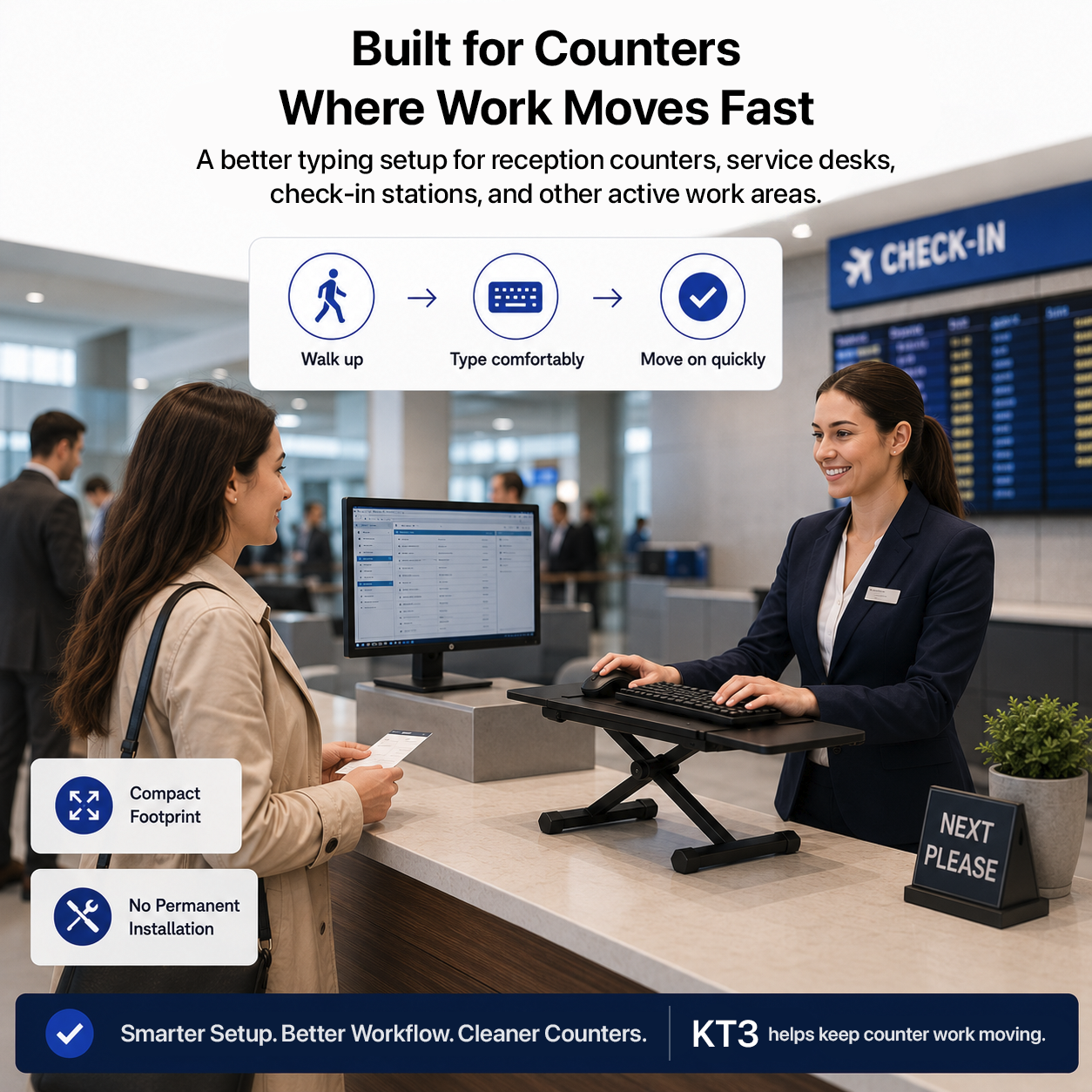
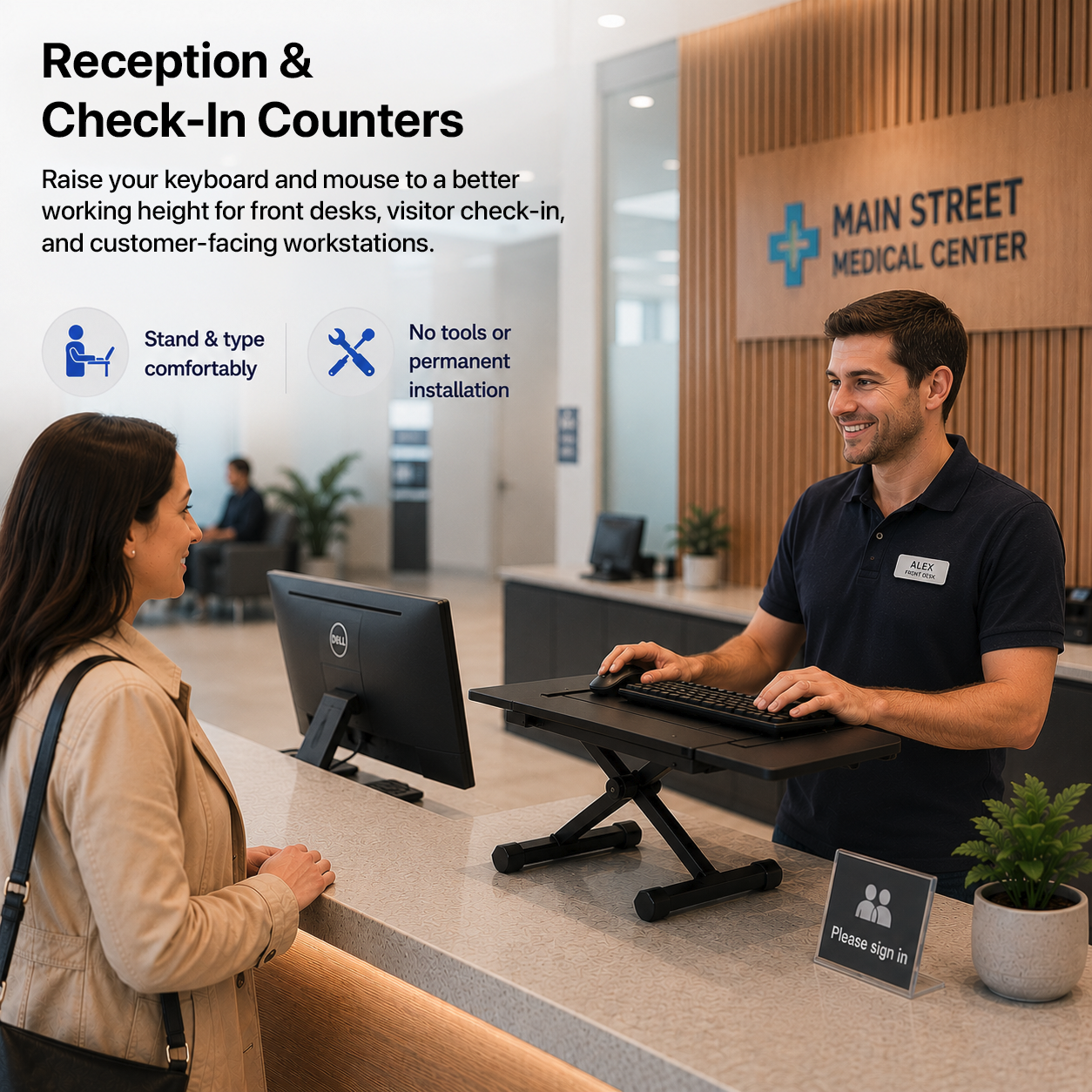
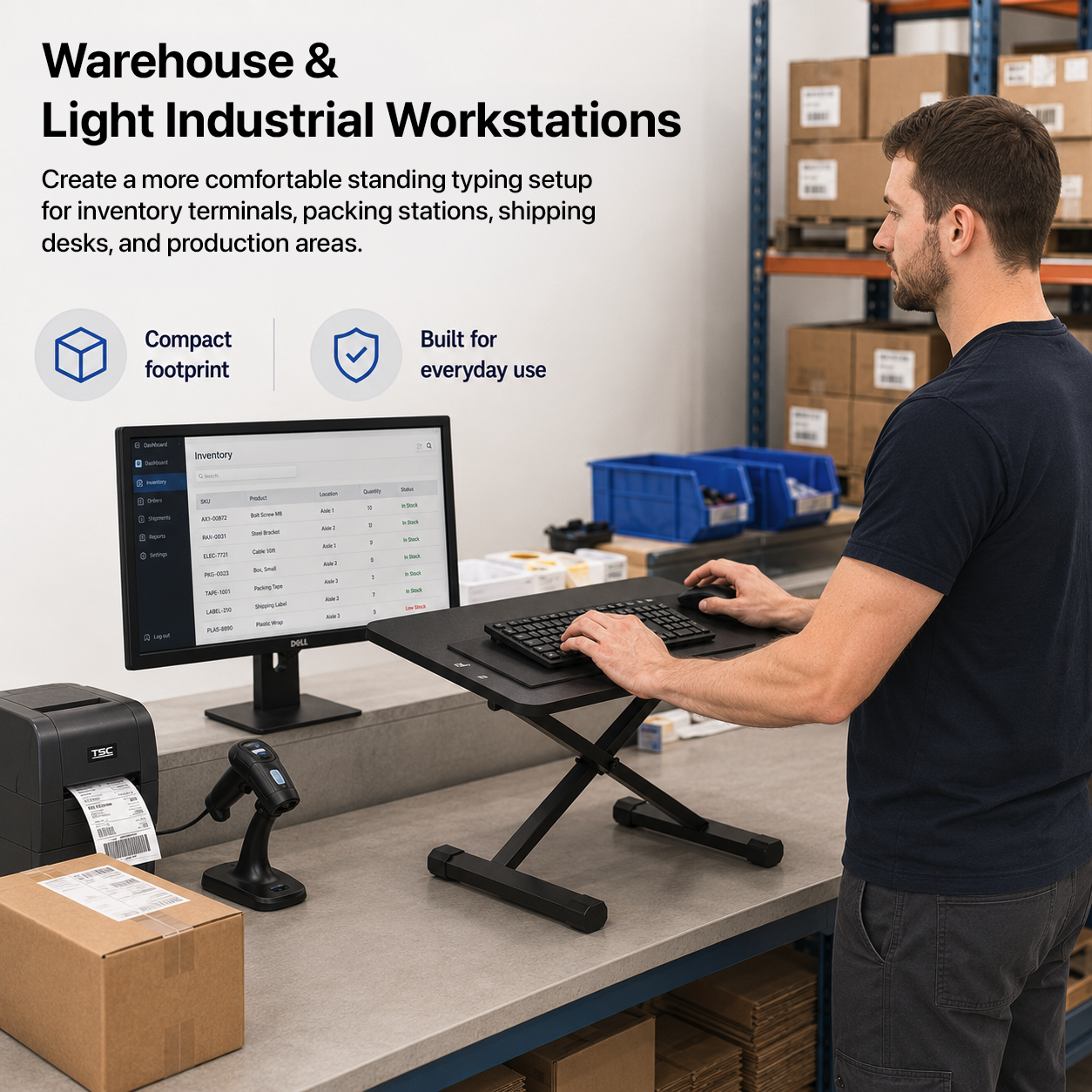
KT3 sits directly on the work surface, making it useful for shared desks, counters, labs, classrooms, home offices, or any place where permanent mounting is not practical.
No assembly required.
No drilling into the desk.
No clamp clearance needed.
No permanent installation.
Easy to reposition or store.
Specifications
The adjustment range at a glance
Mount type
Freestanding on-desk keyboard stand
Height settings
7 fixed positions
Height range
2.5 to 12.5 in
Keyboard panel tilt
Continuous adjustment up to 24.5°
Mouse platform
Separate, always level
Mouse side
Right or left
Assembly
None required
Desk modification
None - no drilling or clamps
Why KT3: it creates a raised keyboard-and-mouse workstation on furniture you already own, without permanently changing the desk.
See KT3 in action
Raise it, tilt it, move it - without touching the desk itself
Frequently asked questions
KT3 questions
What type of desk does KT3 require?
KT3 is a freestanding on-desk stand. It does not require drilling, clamps, or a permanent mount.
How high can KT3 raise my keyboard?
KT3 provides seven fixed height settings from 2.5 to 12.5 in.
Can I tilt the keyboard panel?
Yes. The keyboard panel provides continuous tilt adjustment up to 24.5°.
Does the mouse platform tilt with the keyboard?
No. The mouse platform is separate and stays level while the keyboard panel is tilted.
Can I use the mouse platform on either side?
Yes. The mouse platform can be configured for right- or left-side use.
Does KT3 require assembly?
No. KT3 requires no assembly and no permanent installation.
Product specifications
| box-sizing | border-box; |
|---|---|
| --ue-green | #00A934; |
| --ue-text | #1f1f1f; |
| --ue-muted | #666; |
| --ue-border | #e7e7e7; |
| --ue-soft | #f7f7f7; |
| color | var(--ue-muted); |
| font-family | inherit; |
| display | none; |
| max-width | 700px; |
| height | 100%; |
| width | min(100% - 28px, 1200px); |
| margin | 0; |
| padding | 12px 14px; |
| border-top | 1px solid var(--ue-border); |
| background | var(--ue-soft); |
| font-size | 24px; |
| font-weight | 500; |
| letter-spacing | -.02em; |
| text-transform | none; |
| line-height | 1; |
| grid-template-columns | 1fr; |
| gap | 28px; |
| place-items | center stretch; |
| overflow | hidden; |
| border-radius | 12px; |
| margin-top | 24px; |
| border | 0; |
| object-fit | cover; |
| margin-bottom | 9px; |
| padding-left | 20px; |
| overflow-x | auto; |
| min-width | 520px; |
| border-collapse | collapse; |
| border-bottom | 1px solid var(--ue-border); |
| .kt3-table tr | last-child td { |
| border-left | 4px solid var(--ue-green); |
| position | absolute; |
| aspect-ratio | 4 / 3; |
| min-height | 0; |
| cursor | pointer; |
| list-style | none; |
| .kt3-faq summary | :after { |
| content | "−"; |
| right | 4px; |
| top | 15px; |
| .kt3-faq details[open] summary | :after { |
| @media (max-width | 600px) { |
| Lowest setting | 2.5 in. |
| Highest setting | 12.5 in. |
| Why KT3 | it creates a raised keyboard-and-mouse workstation on furniture you already own, without permanently changing the desk. |
| Mount type | Freestanding on-desk keyboard stand |
| Height settings | 7 fixed positions |
| Height range | 2.5 to 12.5 in |
| Keyboard panel tilt | Continuous adjustment up to 24.5° |
| Mouse platform | Separate, always level |
| Mouse side | Right or left |
| Assembly | None required |
| Desk modification | None - no drilling or clamps |
| Brand | Uncaged Ergonomics |
| Colors | var(--ue-muted); |
| Sizes | height: 100%;, width: min(100% - 28px, 1200px);, Height settings: 7 fixed positions, Height range: 2.5 to 12.5 in |